Modbus devices with limited requests
Maximum query size and delay between queries
Written By Evolo Support
Last updated About 18 hours ago
Why can't I read data from my Modbus device?
Some Modbus slaves can only handle a limited number of registers per request. If Evolo optimizes and accesses an invalid register range, the entire query will fail.
How can I fix this?
Reduce the maximum query size: Set the maximum to 1 or 2 (depending on 16-bit/32-bit). This prevents the query from including invalid registers.
Increase the delay between queries: This gives the slave more time to respond.
Example of an error situation:
Valid registers: 1, 2, 3, 4
Invalid registers: 5, 6, 7
Evolo It might try “address 1, count 7,” fail due to 5–7, and also throw an error for 1–4.
The error appears in the system log as:
evolo-gateway [error] 2025-05-20 14:10:44: Modbus exception 2: Illegal data address… slave: 1, register: 0, count: 78Where can I find the settings?
Go to Configuration → Interface and open the device interface.
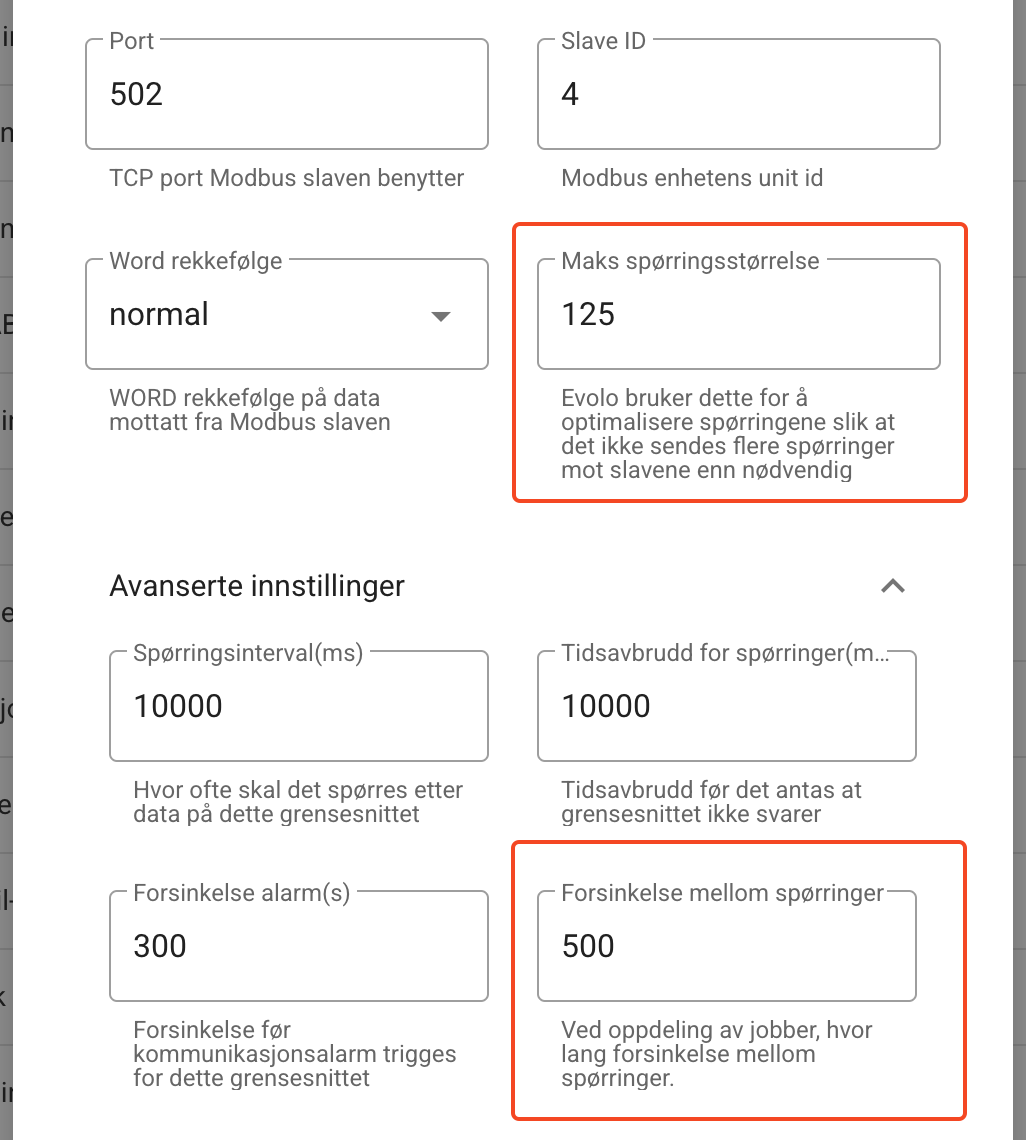
Max query size: listed in the form. The number of records Evolo queries in a single request, maximum 125.
Delay between queries: Open Advanced Settings. Specified in milliseconds, from 0 to 10,000.
Where can I find information about the maximum query size?
See the Modbus device manual or contact the manufacturer/supplier.
Was this helpful?
Still need help? Ask the team