Set electricity rates
The application retrieves electricity prices from Nord Pool and writes them to data points so they can be used in local automation systems.
Written By Evolo Support
Last updated About 2 months ago
Here's how to do it
Go to Settings and select Apps.
Click Add Application.
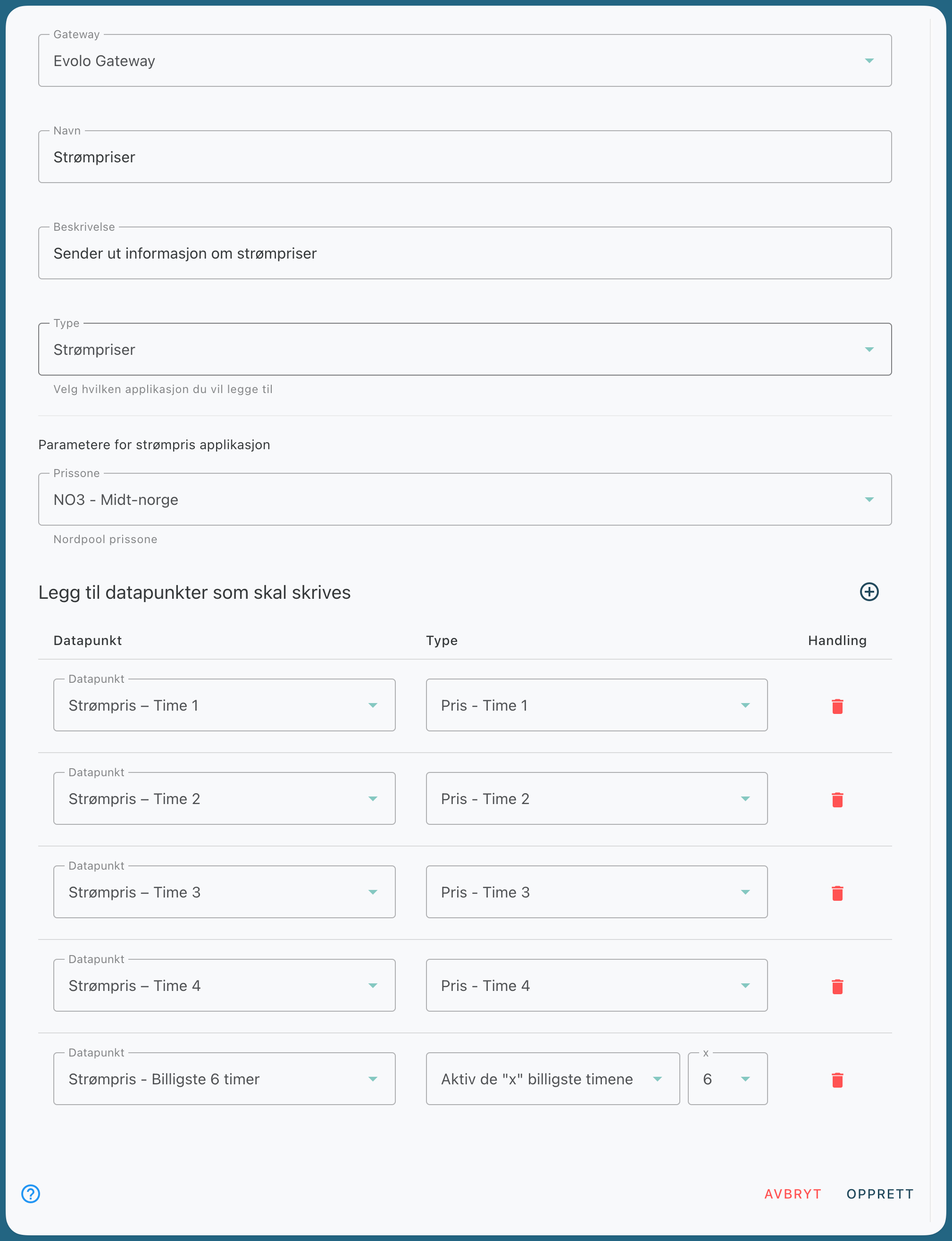
Enter a name, a description if desired, and select a gateway.
Select the price zone you want to use.
Select which data points the app should write price data to.
Click Create.
Select data points
Select the data points to which you want to write price data. For example, you can write hourly prices for several hours in the future to separate data points.
In the example, the gateway writes the electricity price for hours 1, 2, 3, and 4 to the selected data points and activates a Boolean data point for the 6 cheapest hours.
Still need help? Ask the team