Set up notifications for an alarm
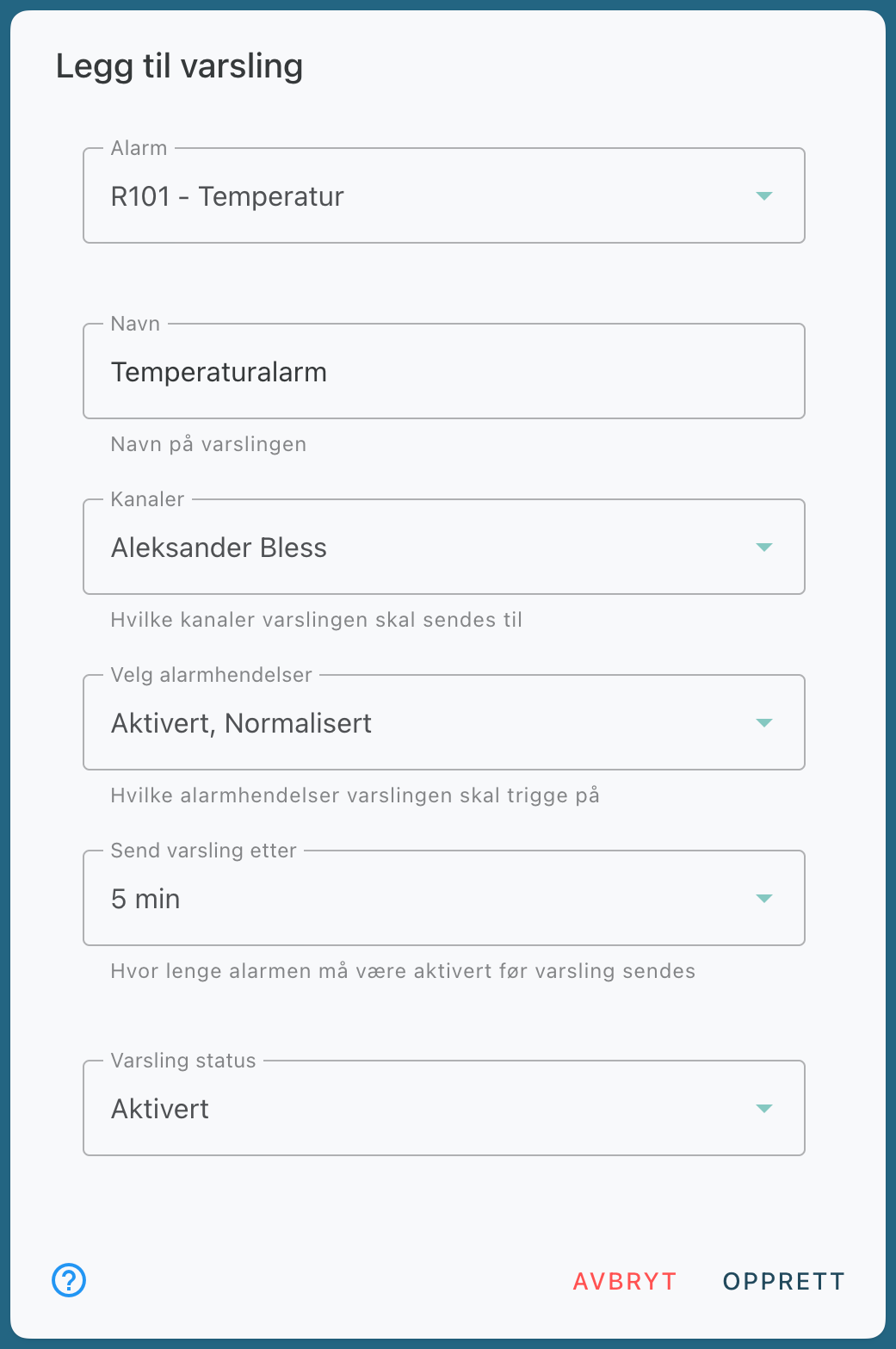
Here's how to set up notifications for an alarm in Evolo. You select which alarm the notification applies to, which channels it should be sent on, and which alarm events should trigger a notification.
Written By Evolo Support
Last updated About 1 month ago
Here's how to do it
Go to Configuration and select Notifications.
Click Create New Alert.
Select the alarm to which the notification will be linked.
Enter a name for the alert.
Select the channels through which the notification should be sent.
Select which alarm events should trigger the alert.
Select how long the alarm must be active before the alert is sent.
Save the notification.
Select alarm events
You can set alerts for the following events:
Activated
: When the data point goes outside defined limits and the alarm is triggered.Normalized
: When the data point returns within defined limits.Acknowledged
: When the alarm is acknowledged by a user.
Use "Send alert after" if you want to avoid alerts for brief and temporary deviations.
Related articles
Still need help? Ask the team