Create a virtual data point
Virtual data points can be used to merge multiple data points, process data, perform calculations, and store values from other applications.
Written By Evolo Support
Last updated 12 days ago
Here's how to do it
Go to Configuration and select Data Points.
Click Add Data Point.
Select a virtual interface.
Enter the parameters used to create the virtual data point.
Save the data point.
If you don’t have a virtual interface yet, you’ll need to create one under “Interface” first.
Merge multiple data points
Select the data points to be used as a basis, and enter a JavaScript expression to process the values.
To reference the values, use index values in the values variable.
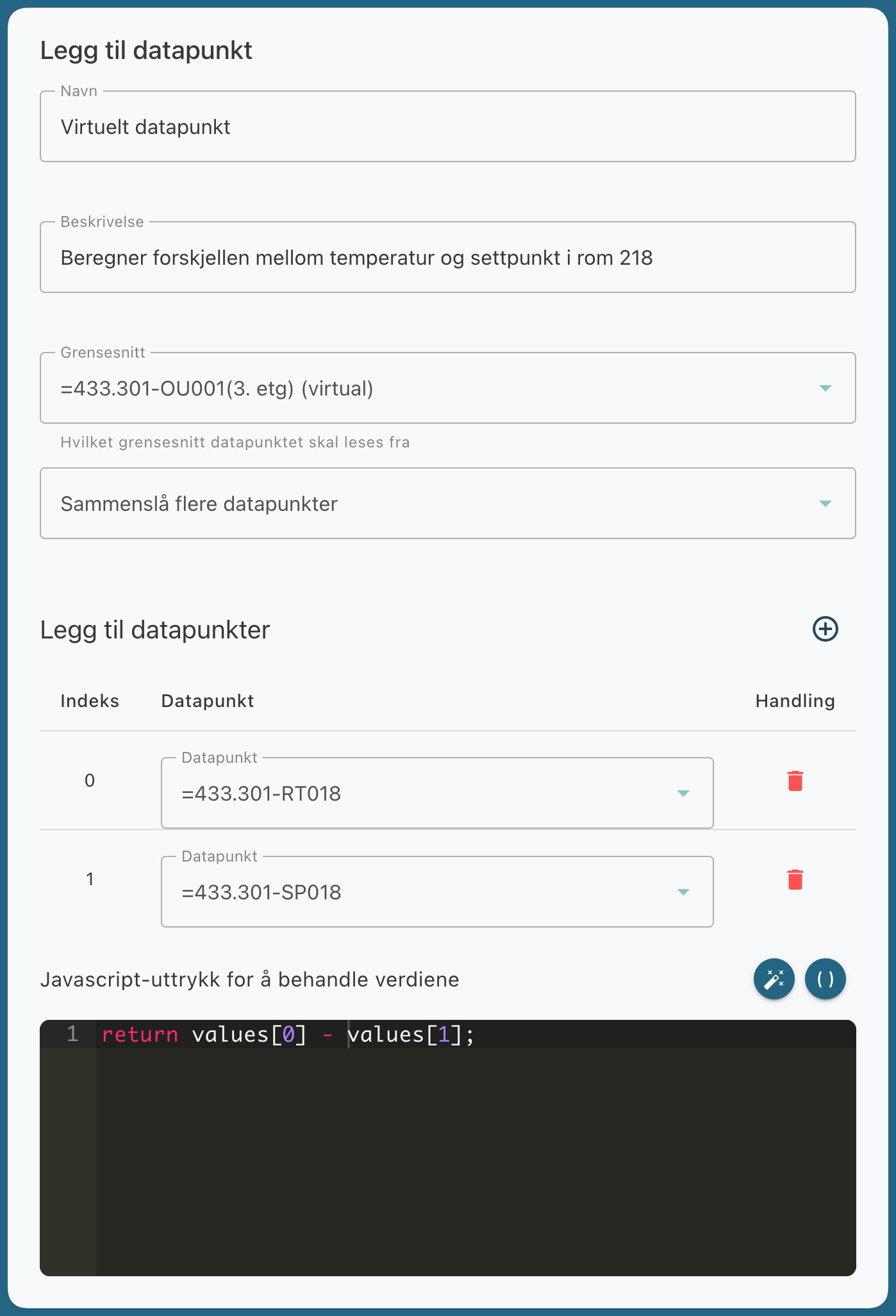
In the example, the difference between room temperature and the setpoint is calculated by subtracting the setpoint from the temperature.
Use as a data store
You can also create a virtual data point as a data store. You can
then write data to the data point and use a JavaScript expression to process the value.
In this type of expression, the variable `value` is used.
For example, you can set `forward data from other data points` to this data point via an application.
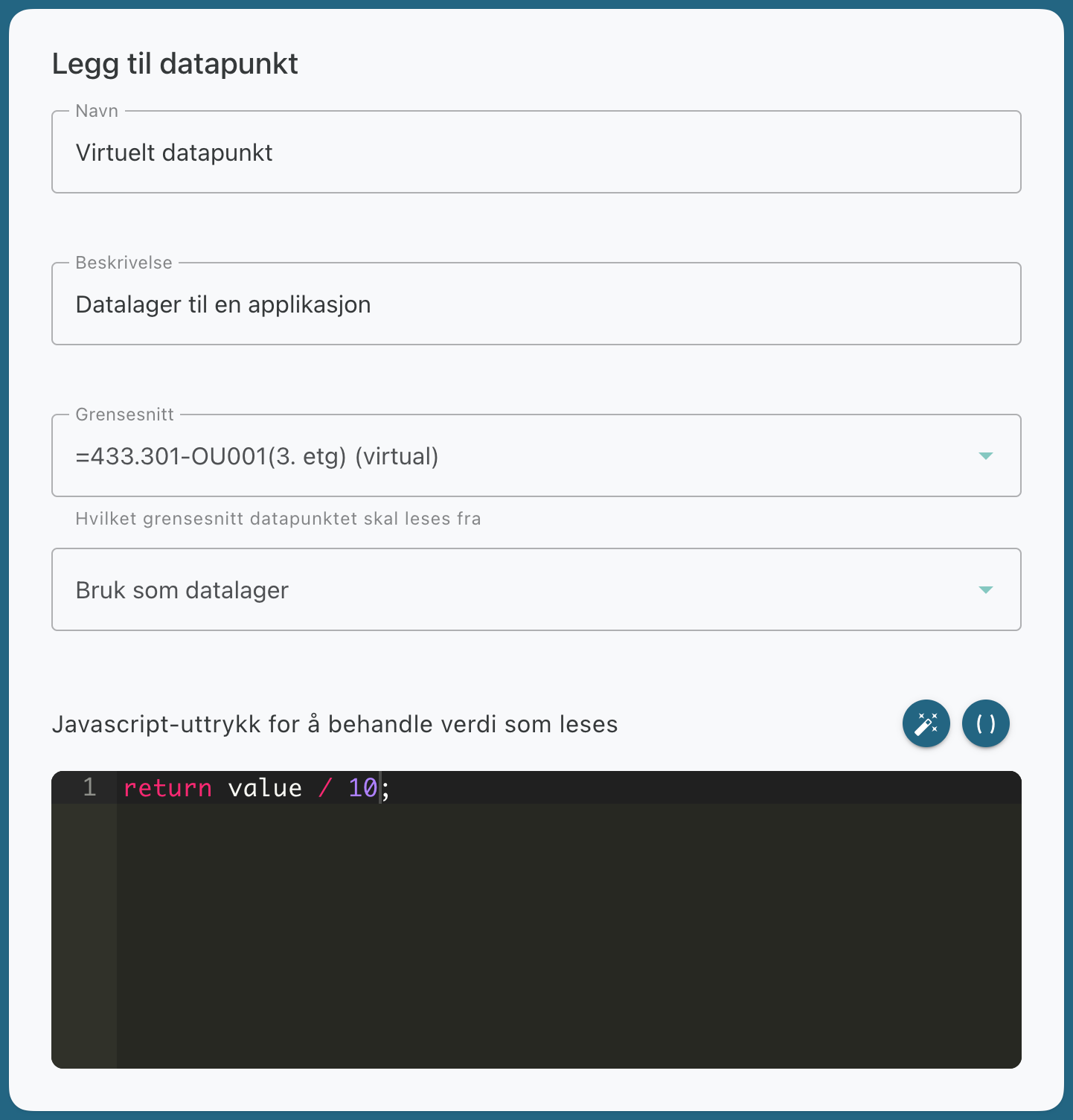
The example shows that the value is divided by 10 before being stored.
Was this helpful?
Still need help? Ask the team