Look up OPC-UA data points
Use the OPC-UA client to scan the network for data points
Written By Evolo Support
Last updated 2 months ago
You can use the OPC-UA client under Configuration -> Gateway -> "Evolo" Gateway to scan the network for OPC-UA data points.
You can export all the data points you have found to import them as data points under Configuration -> Data Points using the Export button.
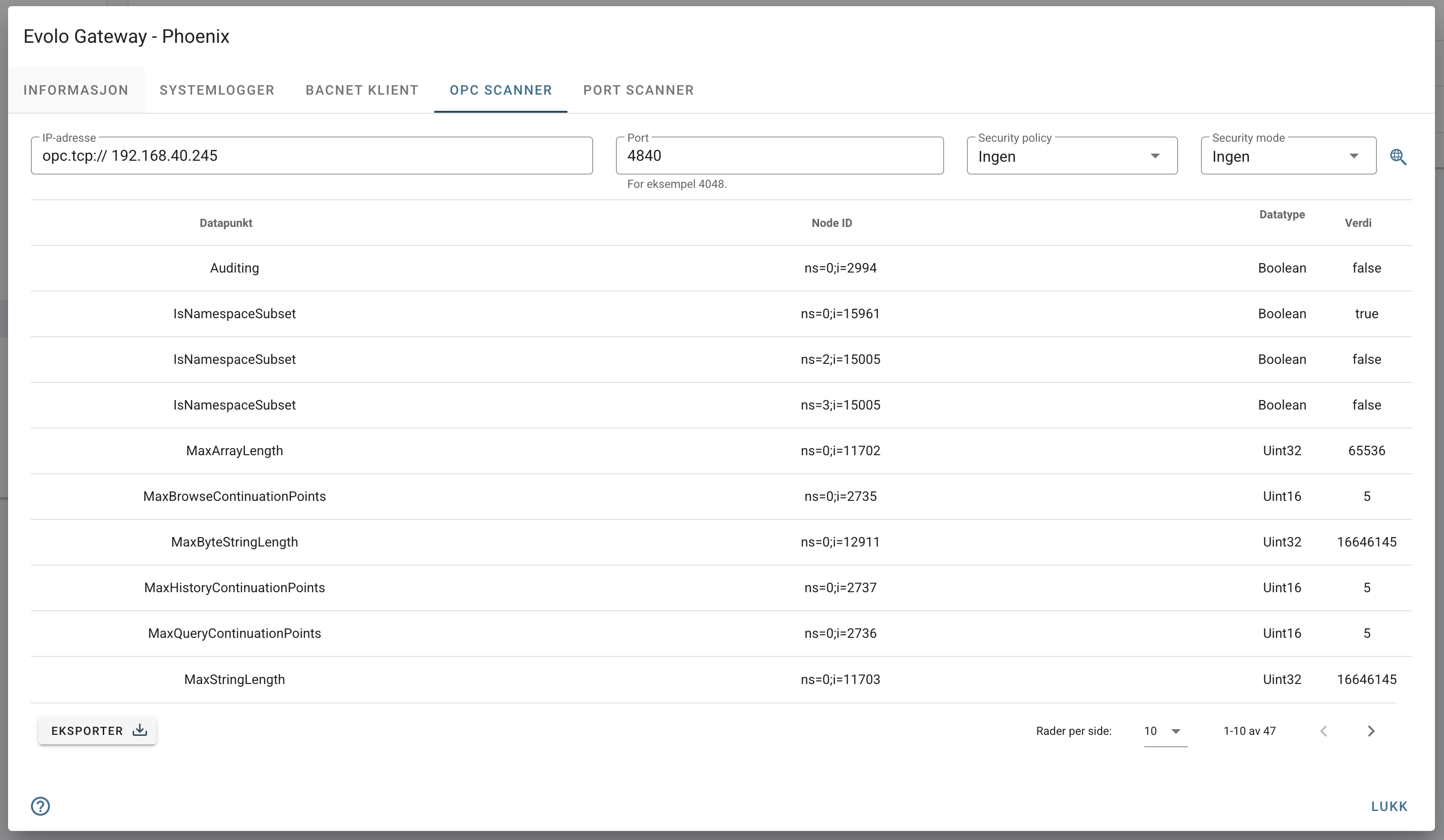
IP Address
Enter the IP address of the OPC-UA broker. This is usually the IP address of the device you want to read from.
Port
If the port differs from the default (4840), enter it here.
Security Policy
Select a security policy if it is enabled.
Security Mode
Select a security mode if it is enabled.
Search for Data Points
Click the magnifying glass to send a query to the selected IP address. If it connects to the OPC-UA broker and finds data points, they are listed as shown above. The Value column displays the value read from the data point.
Was this helpful?
Still need help? Ask the team