Set electricity rates
The application retrieves electricity prices from Nord Pool and writes them to data points so they can be used in local automation systems.
Written By Evolo Support
Last updated About 19 hours ago
Here's how to do it
Go to Settings and select Apps.
Click Add Application.
Enter a name, a description if desired, and select a gateway.
Select the price zone you want to use.
Select which data points the app should write price data to.
Click Create.
Fields
Gateway: The gateway on which the application will run. This cannot be changed after the application has been created.
Name: The name of the application. If this field is left blank, the application will be named "Electricity Prices."
Description: Optional description.
Type: Select "Electricity Prices." This field becomes available once you have selected a gateway.
Enabled: Enabled by default. Uncheck this box to stop the application on the gateway without deleting the configuration.
Price Zone: The Nord Pool price zone in which the facility is located, from NO1 to NO5.
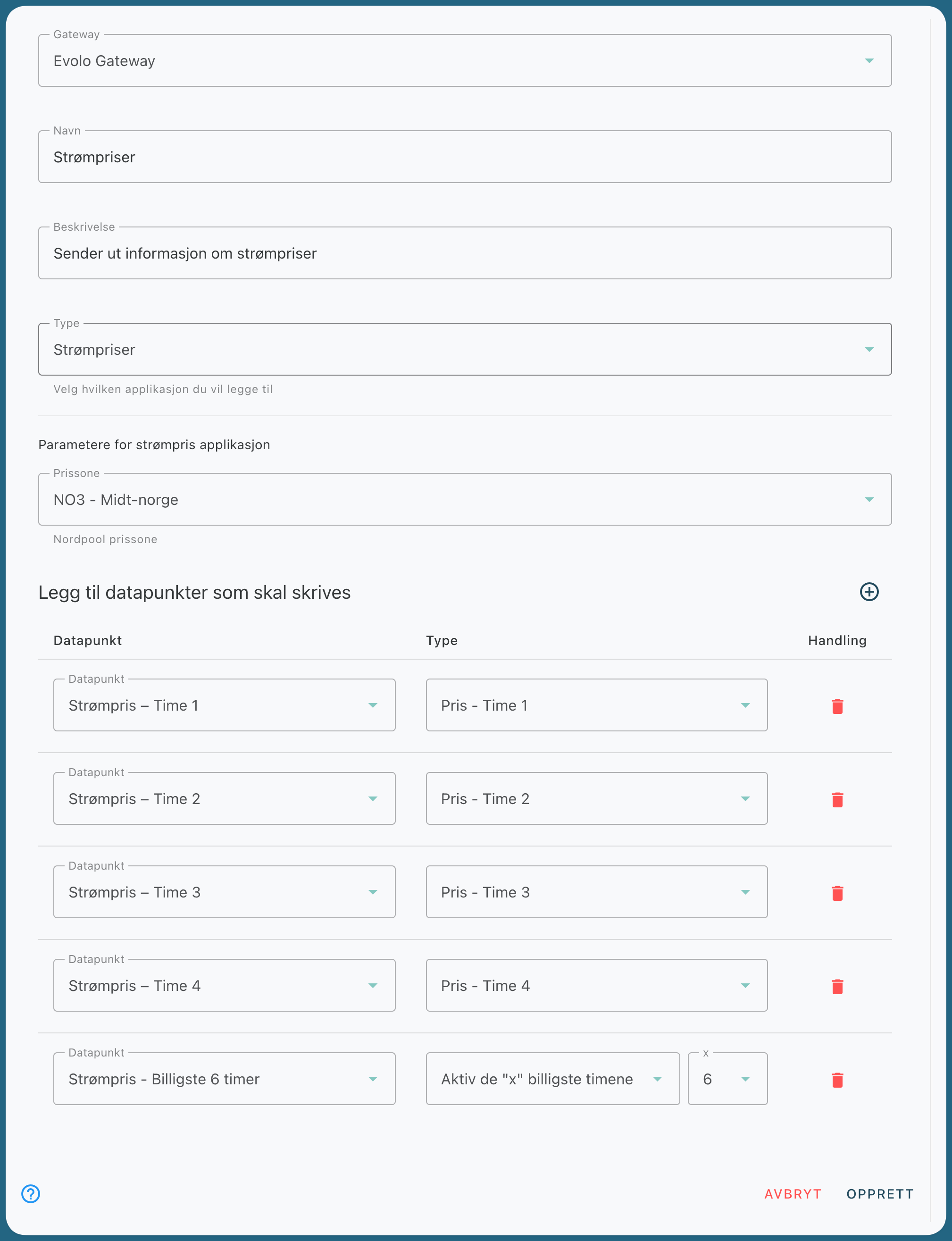
Data Point: The data point to which price data will be written. Click the plus icon next to “Add data points to be written” to add a row, and the trash can icon under “Action” to remove it. You can add up to 32 rows. The data point must be located on the same gateway and cannot be used by another application.
Type (per row): what is written to the data point.
Price - Hour 0 to Price - Hour 23 provides the price for each hour of the day. Daily
Average provides the average price for today.
Current Hour gives the price for the hour you are currently in and is updated every hour.
Enable the “x” Cheapest Hours and Enable the “x” Most Expensive Hours set the value to true for the x cheapest or most expensive hours of the day and false otherwise. Then select the number of hours (1 to 22) in the “x” field next to it.
Select Data Points
Select which data points you want to write price data to. For example, you can write the price for several hours of the day to separate data points.
Example:
Four rows labeled Price - Hour 1, 2, 3, and 4 write the price for those hours to separate data points. A fifth row with "Active during the 'x' cheapest hours" and "x" set to 6 sets a Boolean data point to true during the 6 cheapest hours of the day.
Was this helpful?
Still need help? Ask the team