Create a generic calendar object
A generic calendar object is used when you want to link the calendar to an editable data point. The user can then select a mode in the calendar event, and Evolo writes the correct value to the data point.
Written By Evolo Support
Last updated 1 day ago
Here's how to do it
Go to Settings and select Calendar Settings.
Click Add New Calendar Item and select Generic.
Enter a name for the calendar item.
Select the data point that the calendar item will control.
Enter the names of the modes the user should be able to select in the calendar.
Fields
Name: the name that appears in the calendar.
Data Point: The data point the calendar object will write to. You can only select numeric or Boolean data points that are not already controlled by another calendar object. The data point cannot be changed after the calendar object is created.
Display Name Off and Display Name On: displayed when the data point is Boolean. These are the names the modes are given in the calendar event, such as Stop and Run.
Add Mode: appears when the data point is a number. Click the plus sign to add a mode, and enter Value (the value written to the data point) and Name (the name displayed in the calendar event). Use the JSON button to edit the modes as JSON instead.
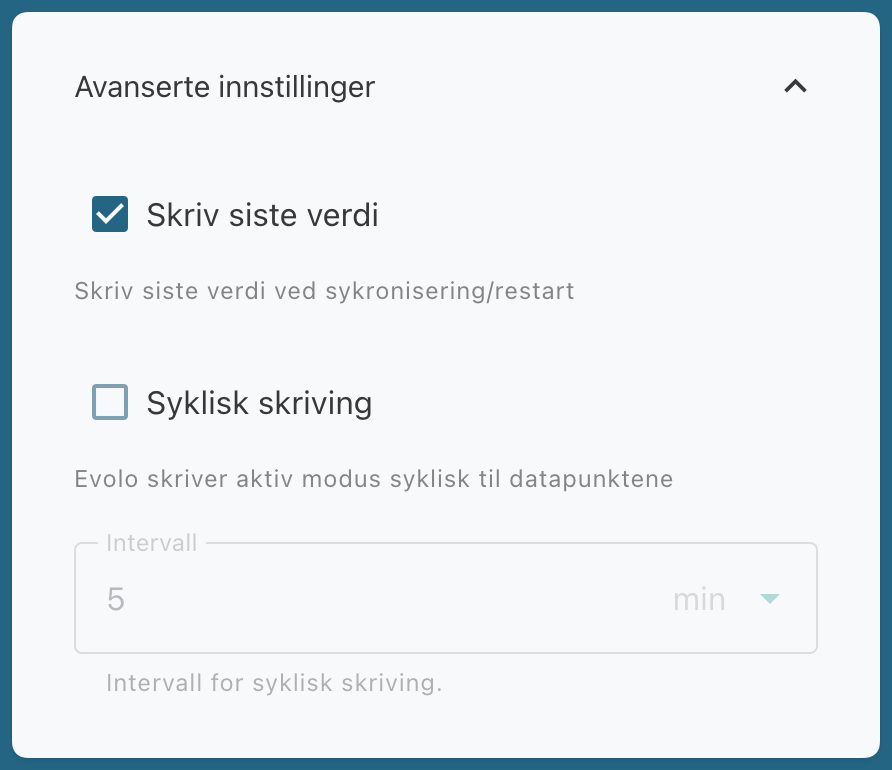
Write Last Value and Cyclic Writing: located under Advanced Settings; see below.
Interval: how often the Evolo Gateway writes the active mode when Cyclic Writing is enabled. You can choose between 5 and 360 minutes.
The name of a mode can be up to 32 characters long.
You can also use Excel tImport calendar items.
Select modes
How you set up modes depends on the data point.
Boolean variable
For a Boolean variable, you have two modes:
FALSE, for example, Off
TRUE, for example, On
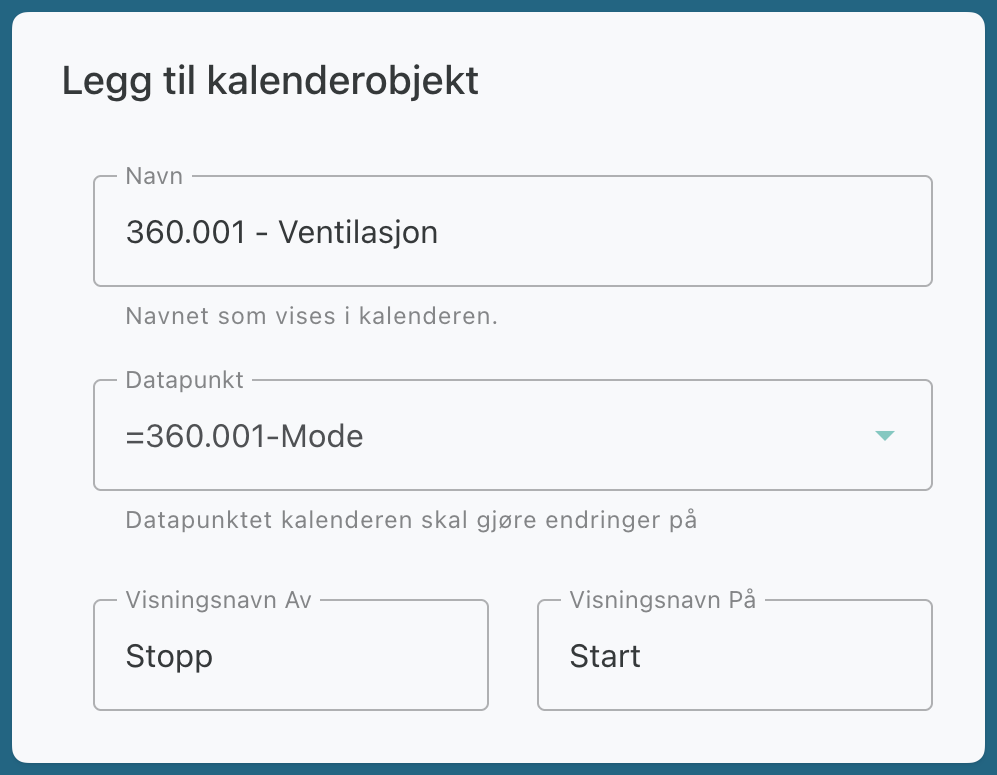
Example of a Boolean variable
Value data point
For a value data point, you can create multiple modes. For each mode, you choose:
which value to write
which name to display in the calendar event
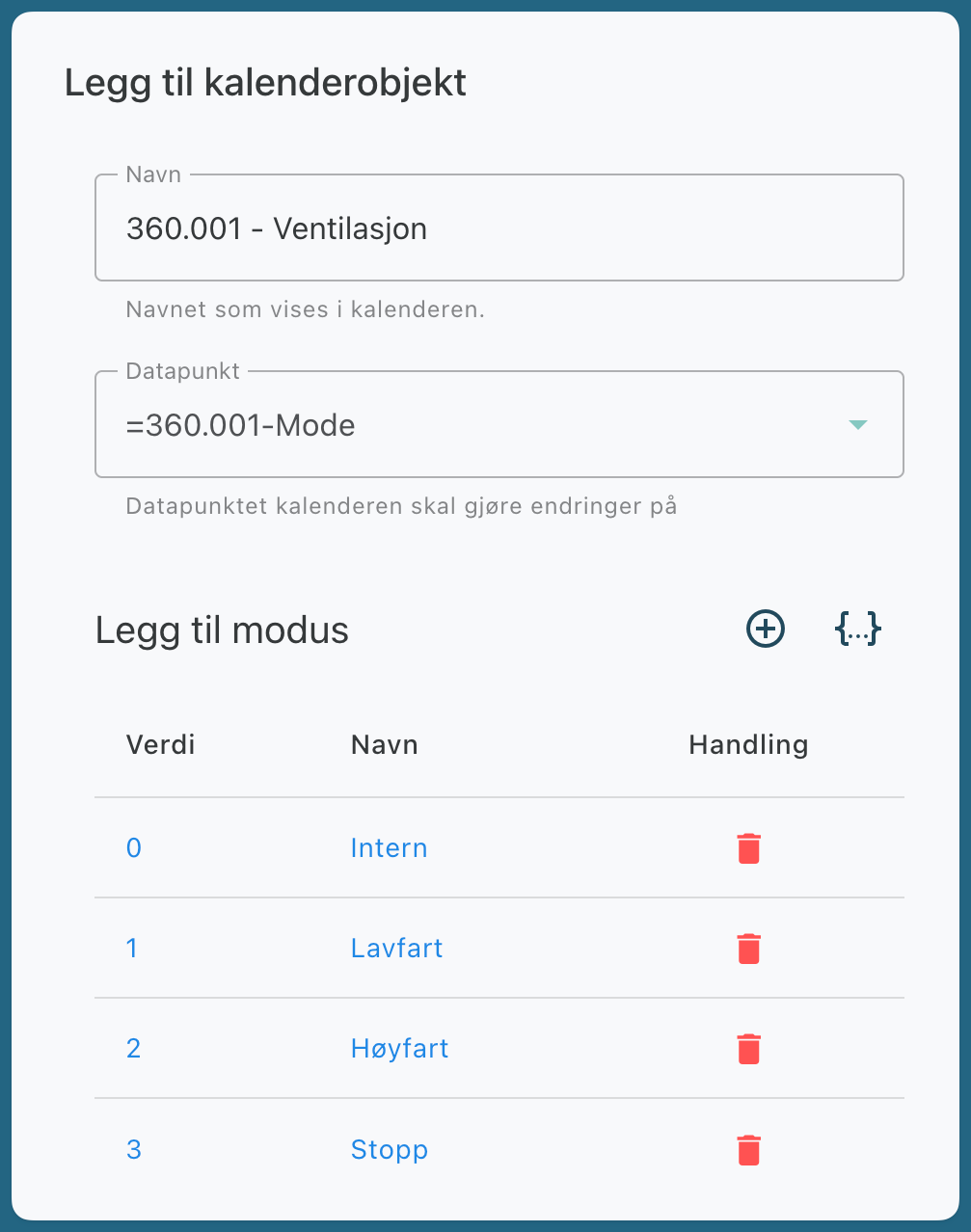
Example Value
Advanced settings
Write Last Value
When this is enabled, the Evolo Gateway rewrites the last active value after a restart or synchronization. This is enabled by default to prevent the system from falling out of sync with the calendar.
Cyclic Writing
When enabled, the Evolo Gateway in active mode writes cyclically to the data point at the selected interval.
Related articles
Create a room calendar object
Import calendar objects from Excel
Was this helpful?
Still need help? Ask the team