Set up Smartvatten
The Smartvatten app connects Evolo to Smartvatten to retrieve consumption data from water meters. This makes it easier to use water consumption data in energy monitoring and reporting.
Written By Evolo Support
Last updated 1 day ago
Here's how to do it
Go to Configuration and select Applications.
Click Add Application and select Smartvatten.
Enter a name, a description if desired, and select a gateway.
Enter the API key.
Select which data points the app should write to.
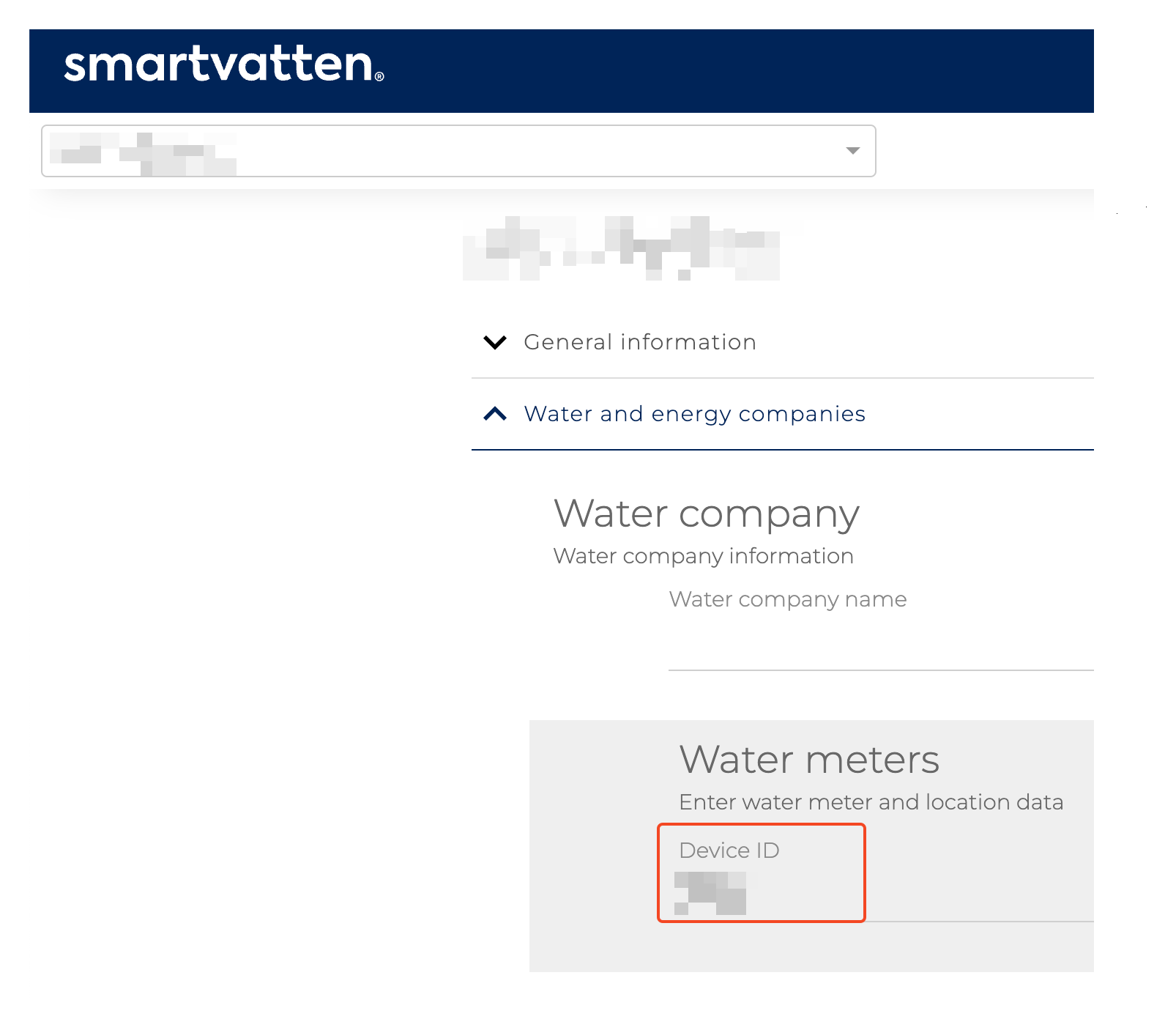
Find and enter the Device or Meter ID.
Select the type of data you want to retrieve.
Click Create.
Fields you must fill in
Name and description
: Give the application a name and add a description if desired.
Gateway
: Select the gateway for the data points to be used.
API Key
You can obtain an API key by contacting Smartvatten Support.
Data Points
Select the data points you want to write data to. We recommend using a "virtual data point of the "data store" type."
Device
Find the Meter ID, also called the Device ID, by opening the desired building or location in Smartvatten and copying the ID of the meter you want to retrieve data from.
Type
Select the type of data you want to retrieve from Smartvatten. Currently, “Meter Reading” is the only option.
Once the application is created, the gateway retrieves data every 15 minutes and stores it in the selected data points.
Was this helpful?
Still need help? Ask the team