Search for BACnet data points
Use the BACnet client to discover devices, read objects, and import them as data points in Evolo.
Written By Evolo Support
Last updated About 2 months ago
What is BACnet scanning?
BACnet scanning lets you find and import BACnet devices, objects, and data points directly into Evolo.
You can find the tool here:
Configuration → Gateway → Select Gateway → BACnet Client
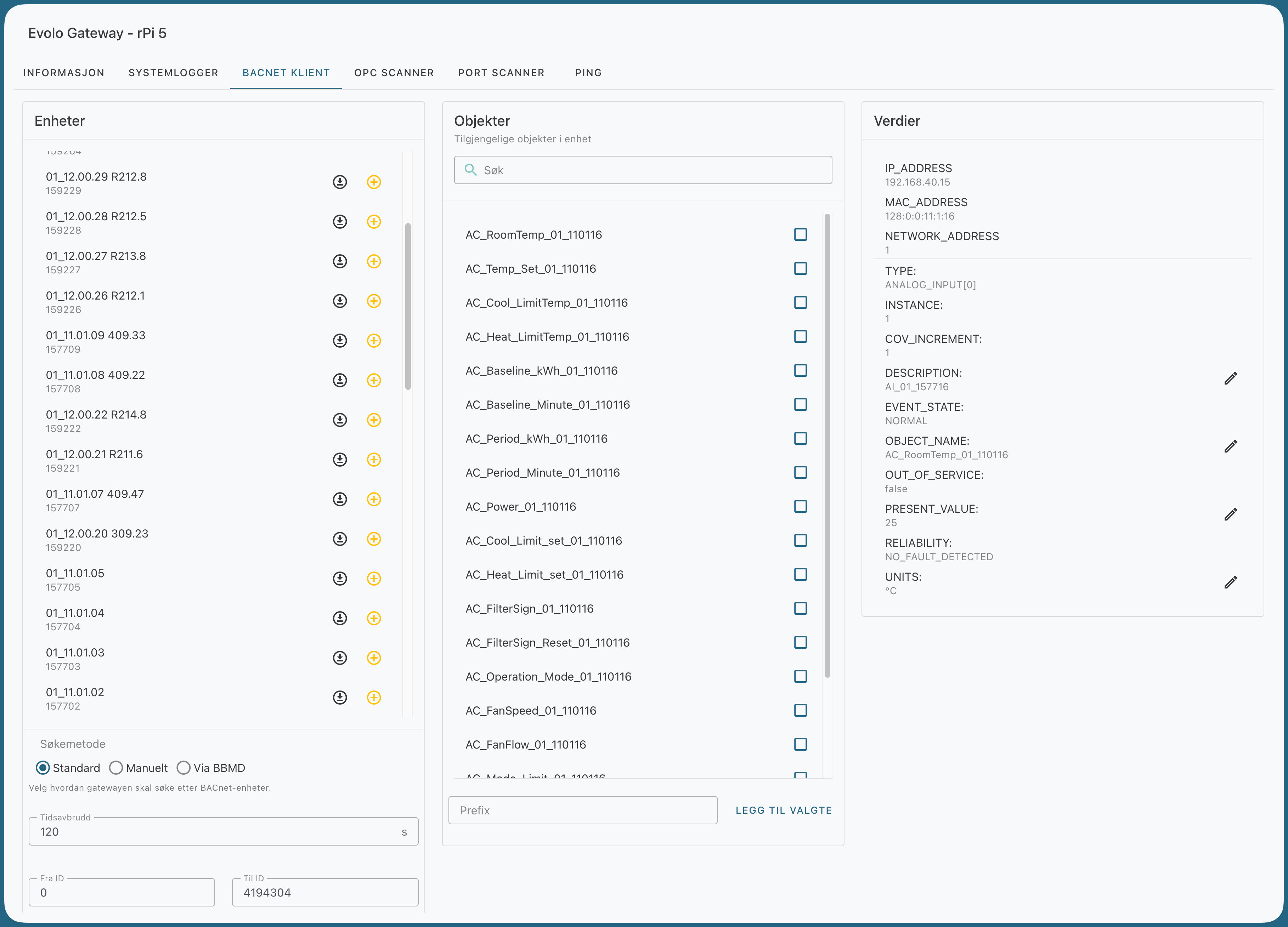
How to search for BACnet data points
1. Find a device
Select how you want to search for devices in the BACnet client:
Default
Searches for devices on the local network using standard BACnet discovery.
Manual
Specify devices to scan manually.
Format:
IP:device-IDIP:port:device-ID
Separate multiple entries with commas.
Use this if the devices do not respond to a standard Who-Is search, or if you already know the IP address and device ID.
Via BBMD
Used when devices are on other subnets. The gateway is temporarily registered as a Foreign Device against the selected BBMD during the search.
Once you’ve found the device you want to use, click on it to load the objects. If the device isn’t already in the “Evolo,” you can add it directly from the list.
2. Import objects
Click on the objects to retrieve their names and details. Then select the objects you want to import as data points.
See what the object is saved as inEvolo
. If an object has already been imported as a data point, it appears under the object name with a database icon and the text “Saved as ‘…’.” This allows you to immediately see which objects already exist in Evolo and what names they have been given in the database. This is useful when the object name in the BACnet device has been changed, or when the data point has been given a different name than the object’s name in the device.
3. Prefix for Data Point Names
Before adding the objects, you can enter a value in the Prefix field.
The prefix is added to the beginning of the data point name when the data points are created. This is useful if the building has multiple devices with the same or similar data point names, and you want to make them easier to distinguish from one another.
Example:
without prefix:
Temperaturwith prefix:
360.001_Temperatur
4. Add selected objects
Click "Add Selected" to import the objects as data points in Evolo.
Fields that are filled in automatically
Once the objects have been added as data points, these fields are filled in automatically:
Name =
OBJECT_NAMEDescription =
DESCRIPTIONDesignation =
UNIT
Synchronize data points from BACnet
For objects that have already been added as data points, you can retrieve updated values from the BACnet device without having to recreate the data point. Click the sync icon (↻) to the right of the object.
Evolo The system then reads the current properties from the device and compares them with the stored values. The following fields are synchronized:
Name =
OBJECT_NAMEDescription =
DESCRIPTIONLabel =
UNITSState texts =
STATE_TEXT(for multistate objects), orACTIVE_TEXT/INACTIVE_TEXT(for binary objects)
Before anything is saved, a confirmation dialog appears showing each field that is being changed, along with its value before and after. Nothing is updated until you confirm.
If the data point already matches the device, you’ll see the message “The data point is already synchronized,” and no changes will be made.
Note: Synchronization is not available for calendar and schedule objects (BACnet types 6 and 17), as these are managed through the calendar tool instead.
Troubleshooting
I can’t find any devices or objects
This usually means that no BACnet devices are responding to the Who-Is broadcast from the gateway.
By default, the broadcast is sent to 255.255.255.255. You can set a custom broadcast address in the gateway’s advanced settings.
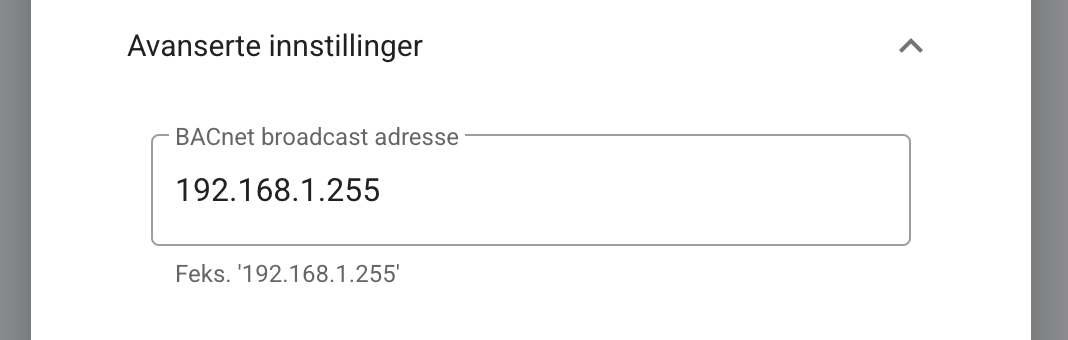
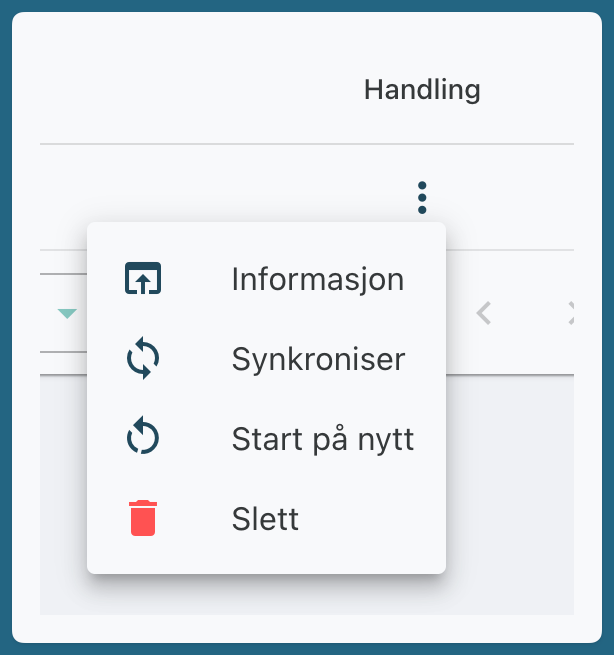
Once you’ve changed the broadcast address, you must restart the gateway for the change to take effect.
For example, if the local subnet is 192.168.1.0/24, you can try the broadcast address 192.168.1.255, since some devices only respond to this address.
If the devices still do not appear, use the Manual search method and enter the IP address and device ID directly.
I can't load objects using a manual search
If the device takes a long time to generate the object list or respond to the request, the search may time out.
Solution: Increase the timeout in the BACnet client and try the search again.

I only see devices labeled "UNKNOWN" when using the manual search
When using Manual mode, Evolo attempts to retrieve objects based on the IP address and BACnet ID you provided. If the device does not respond, it may still appear in the list, but with a status indicating that the request timed out.
If the device takes a long time to generate object lists or process requests, you can increase the timeout so that Evolo waits longer before stopping the request.
Was this helpful?
Still need help? Ask the team