Testing and Commissioning
In the "Test and Commissioning" menu, you can test the build, run a test operation, and finalize the delivery.
Written By Evolo Support
Last updated 1 day ago
The features are located under Configuration → Testing & Commissioning on the building.
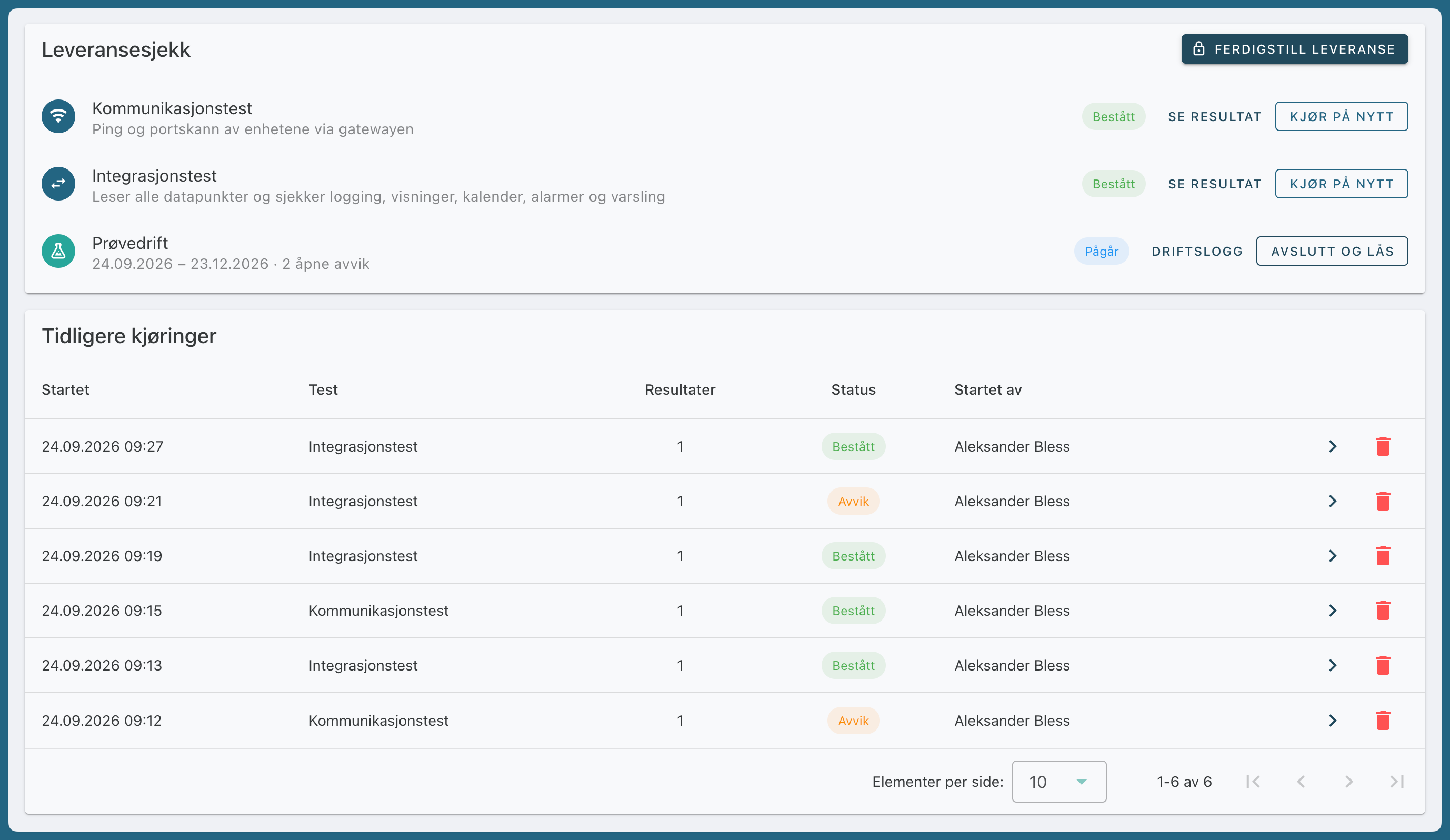
Delivery Check
Delivery Check displays the most recent run of each test, the trial run, and the button to finalize the delivery. The tests can be run as often as you like, even after finalization, but only one at a time per building.
Communication Test
Checks that the devices are responding on the network.
Click Start on Communication Test. All devices with an IP address are preselected.
Click Start Test.
Evolo Pings each device via the gateway and checks the TCP port for Modbus (502), OPC UA (4840), and MQTT (1883).
Devices that do not respond to the ping are marked as "Error."
A closed port results in a "Warning."
BACnet/IP and KNX use UDP and are checked only with a ping. The integration test confirms that they are actually delivering data.
Integration Test
Reads the value of all data points via the gateway.
Click Start on the Integration Test. All interfaces are preselected.
Click Start Test.
Data points that do not respond are marked as "Error," and the cause is listed first in the details. The report also shows the value, whether the data point is logged, and whether it is used in views, the calendar, energy meters, applications, and alarms.
Use the filters All, Deviations, No Alert Channels, and Not in Use, or the search field, to review the results.
The page updates automatically while the test is running. A test ends with a result of “Passed,” “Deviation,” or “Failed.”
Test Run
Start a trial run in Evolo.
Click Start Test Run and select Number of Days. The default is 365 days.
Follow up on deviations in FDV and the Operations Log. Click "Mark as Resolved" when a deviation has been corrected, and feel free to describe what was done. The person who reported it will approve or reject the resolution.
When the period is over, click “End and Lock.” The entries from the period are locked, and the log continues as a regular operations log.
During the trial run, Evolo automatically logs deviations when an A-alarm is triggered and when a test is completed with a deviation.
Complete the Delivery
Once the tests have been passed and the trial operation has ended, click Complete Delivery. The building is marked as commissioned with the date. This button requires permission to manage projects within the organization.