Indoor Air Quality Report
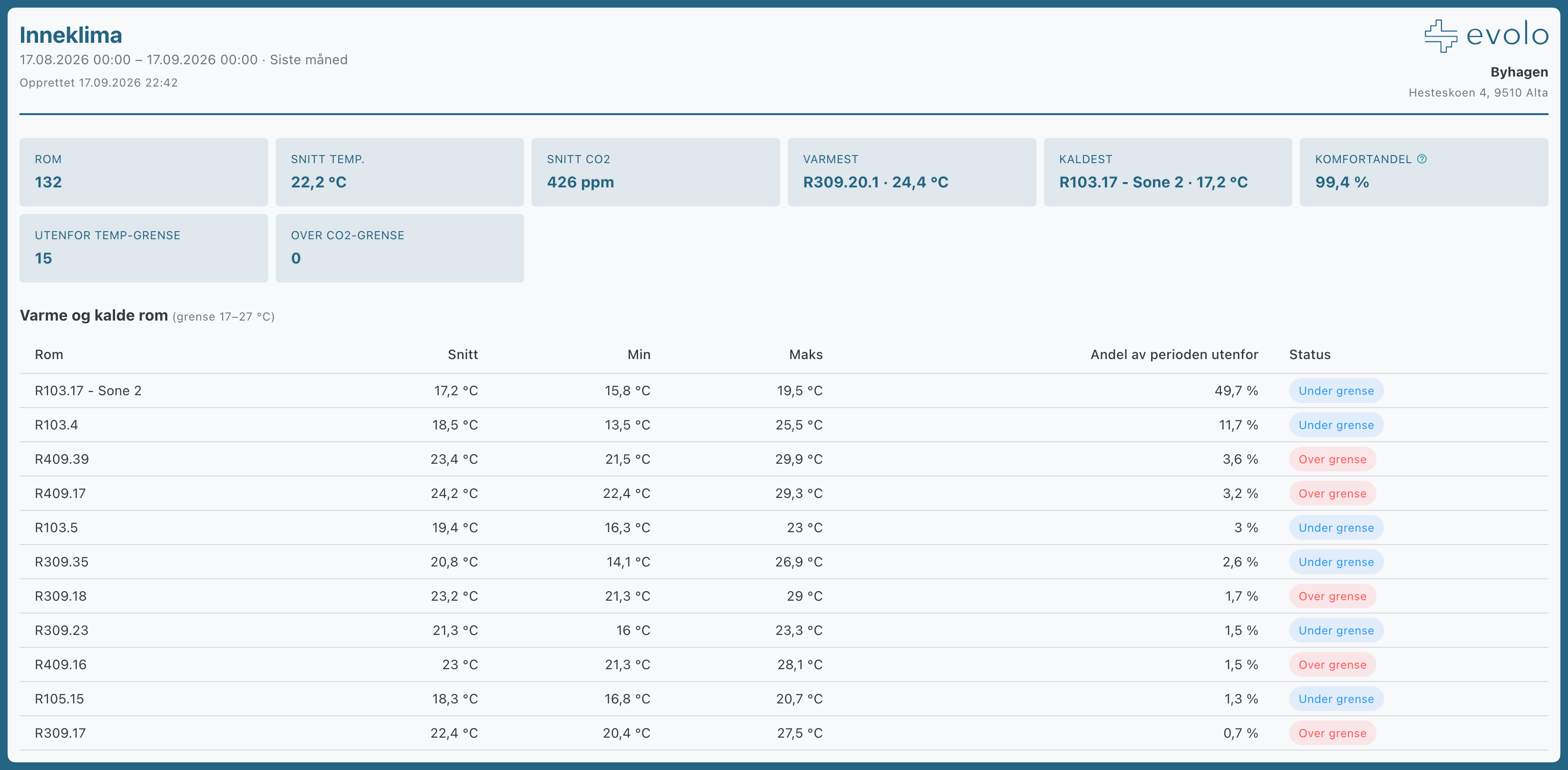
The indoor climate report displays temperature, CO₂, and humidity by room. The rooms are automatically retrieved from the building: all rooms that have components with the correct measurement type.
Written By Evolo Support
Last updated About 12 hours ago
Settings
You can change these settings:
Lower and upper temperature limits and CO₂ limit: used to identify hot, cold, and stuffy rooms, and can be adjusted directly.
Room selection: Limit to specific rooms if you do not want to include the entire building.
Opening hours or custom time range (From and To): Calculate only during operating hours.
Heatmap: Rooms broken down by time of day based on temperature.
Prerequisite: The measurement type must be set on the components. Set the goal type in the view builder.
The
report also shows the comfort percentage per room (percentage of measurements within the temperature and CO₂ limits) and a humidity indicator in case of mold risk.
How to open, download, and You can find the planning report here.
Still need help? Ask the team