Energy Report
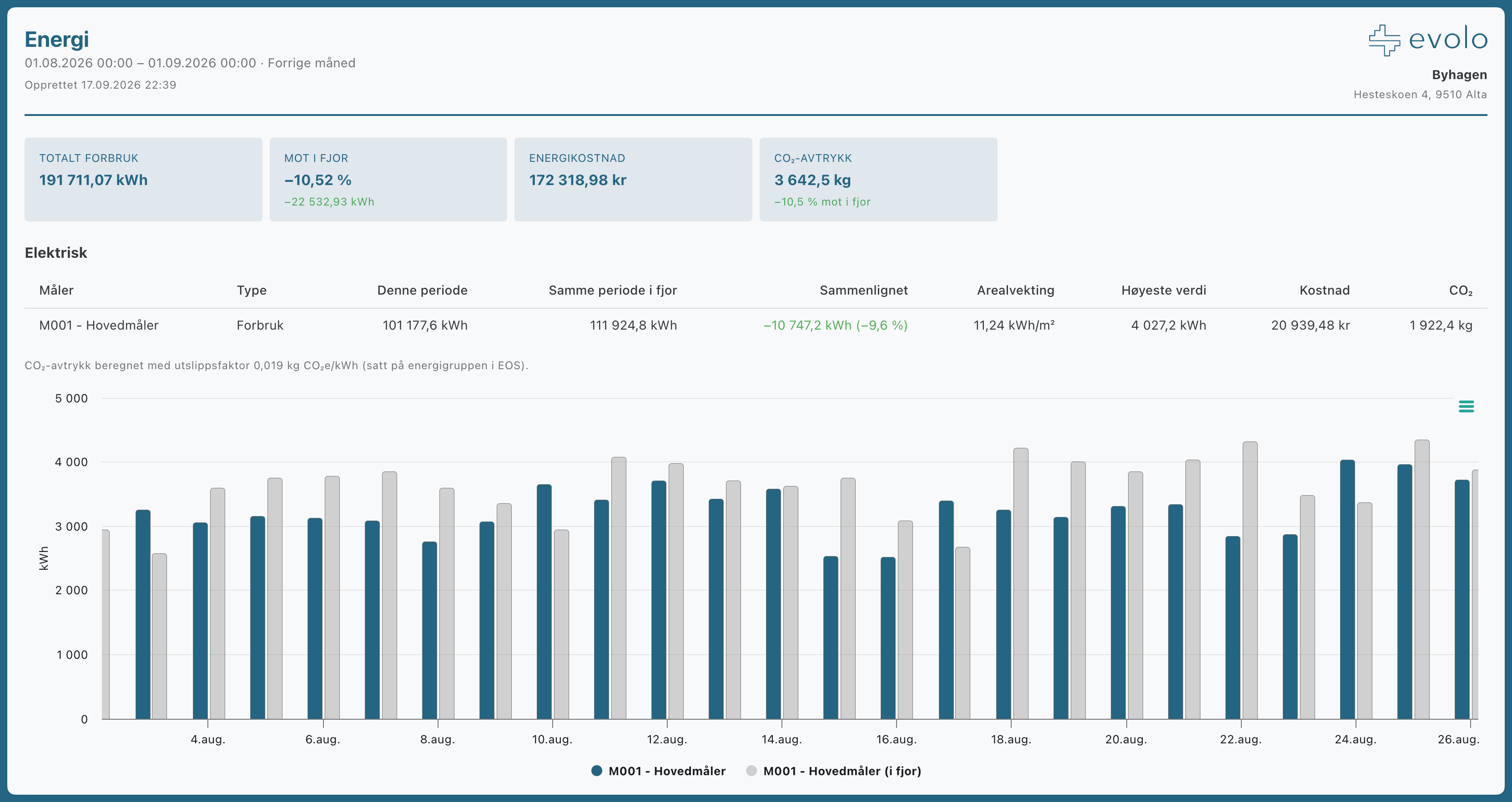
The energy report shows consumption per energy meter, weighted by floor area, along with comparisons, energy costs, and CO₂ footprints. You can choose which energy meters to include.
Written By Evolo Support
Last updated About 12 hours ago
Settings
You can change these settings:
Energy meters: Select which meters the report should cover.
Compared to last year: add the same period from the previous year.
Energy cost: Calculated based on the price settings per energy group in EOS → Energy Prices (spot price or fixed price, surcharges, and VAT). Groups without price settings will have no cost.
Outside temperature: include the outside temperature in the graph.
CO₂ footprint: consumption multiplied by the emissions factor (default 0.019 kg CO₂e per kWh; can be changed per energy group in EOS → Energy Prices).
Graph and table: Display a graph, a detailed table below, or both.
How to open, download, and You can find the planning report here.
Still need help? Ask the team