Add an interface
The interface determines how the Evolo Gateway communicates with the device, for example via KNX, Modbus, MQTT, BACnet, or OPC-UA.
Written By Evolo Support
Last updated About 2 months ago
Here's how to do it
Go to Configuration and select Interfaces.
Click Add Interface.
Select the device to which the interface belongs.
Select the interface type.
Enter the communication parameters for the interface.
Save the interface.
Once the interface has been added, you can continue to Add data points →
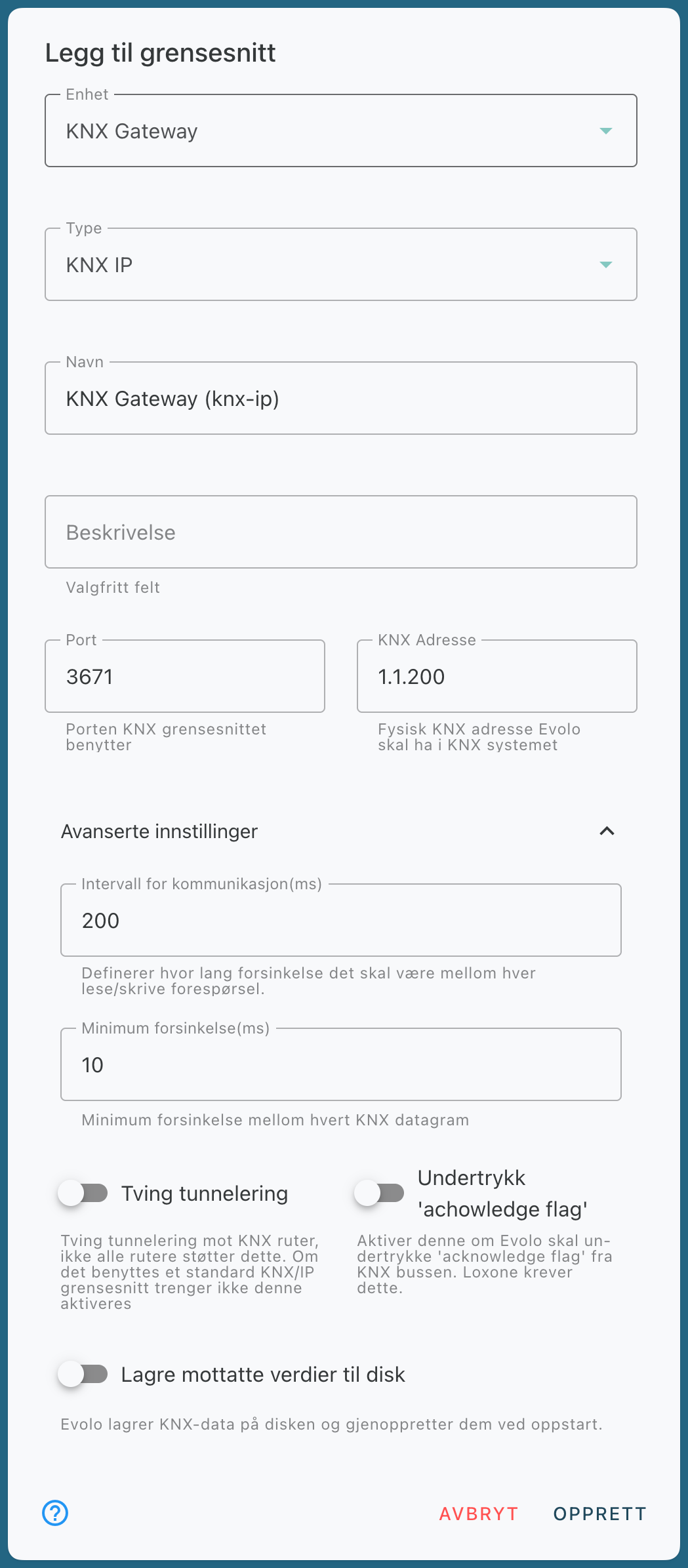
KNX IP
Modbus-TCP
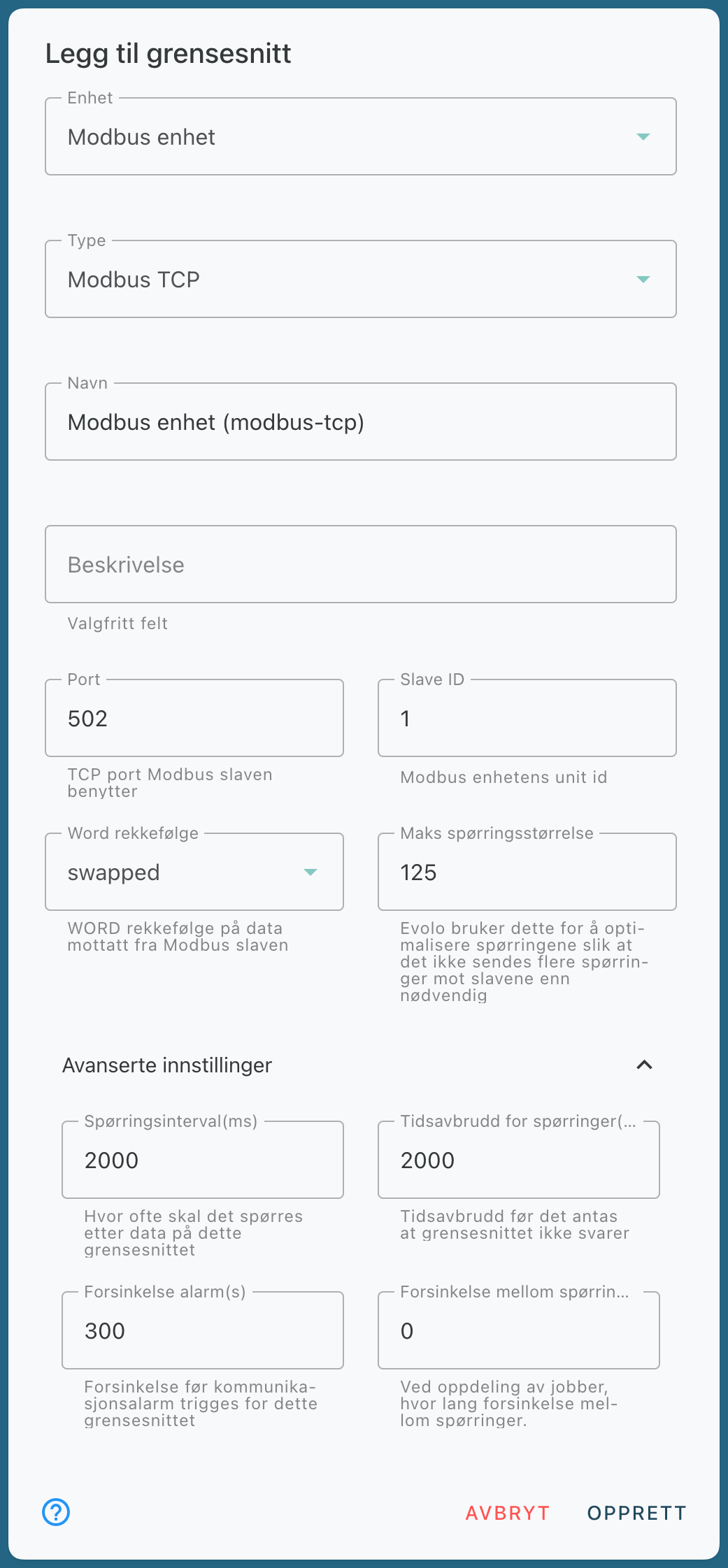
Maximum query size: Some Modbus slaves limit the number of requests they can receive simultaneously. If you are unable to read data from an address, try reducing the maximum query size. This should also be described in the equipment manual.
MQTT
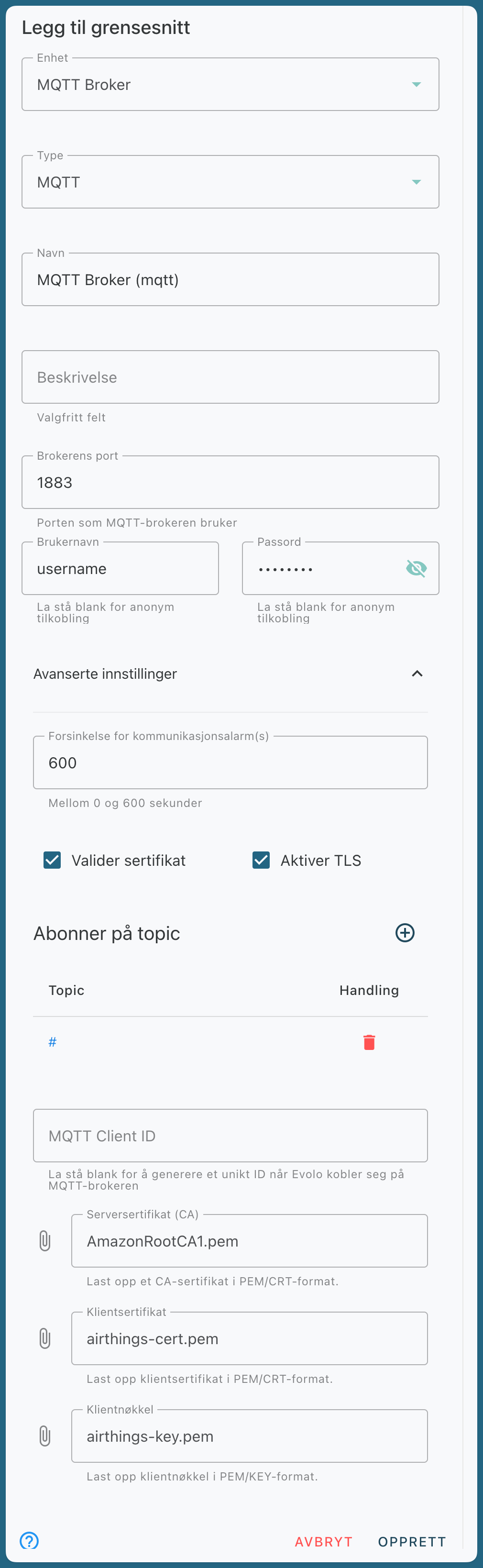
If the broker requires certificate validation, you must enable this feature and enter the certificates.
You must also enter the topics the interface should subscribe to. In many cases, you can use # to subscribe to all topics.
BACnet IP
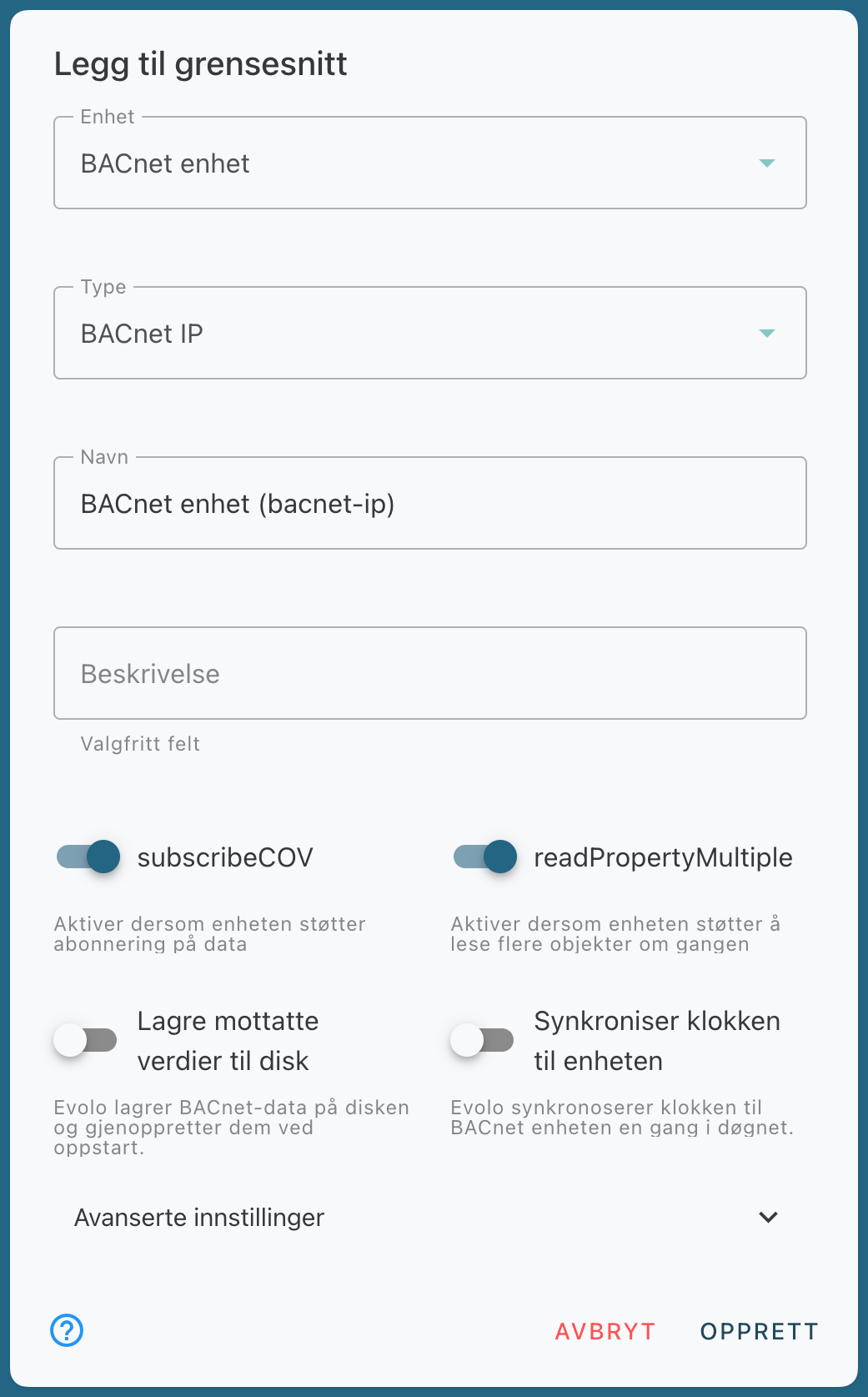
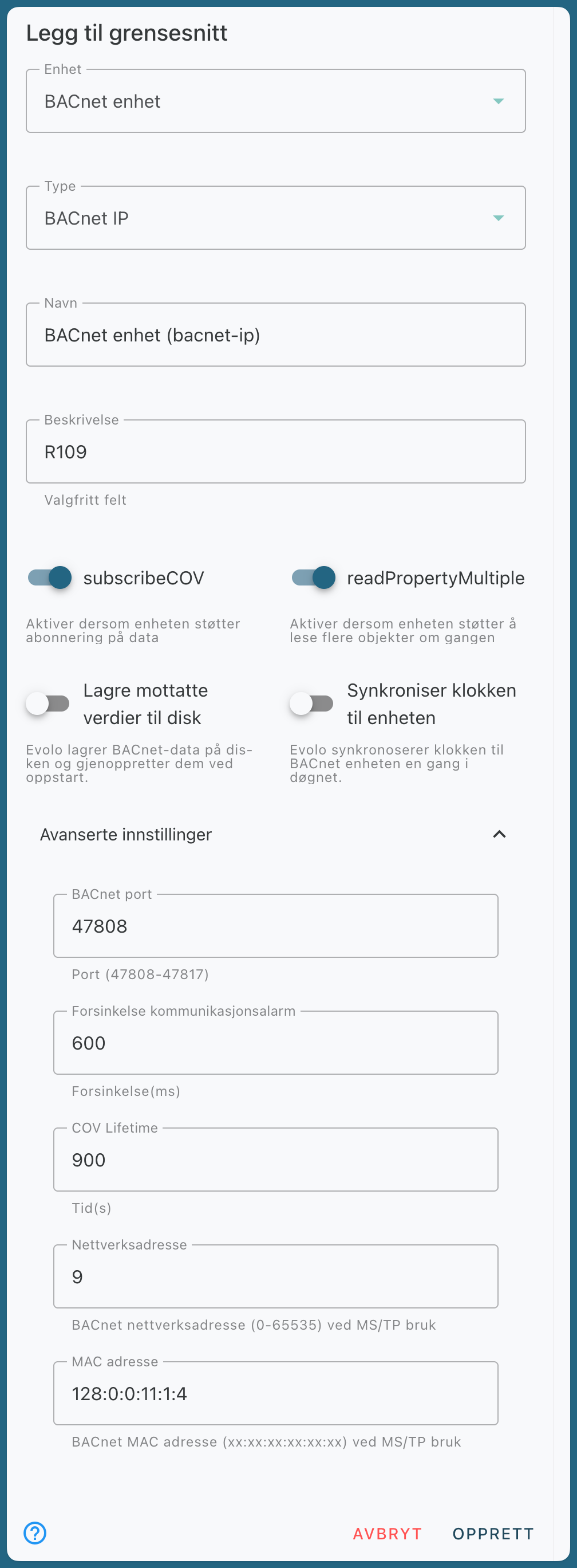
subscribeCOV: If data from BACnet data points is not displayed in views, it may be that the device does not support subscription-based updates. In that case, subscribeCov can be disabled so that the system uses polling instead.
Save received values to disk: The setting to save received values to disk can be used if the BACnet device frequently has trouble reading data.
BACnet MS/TP
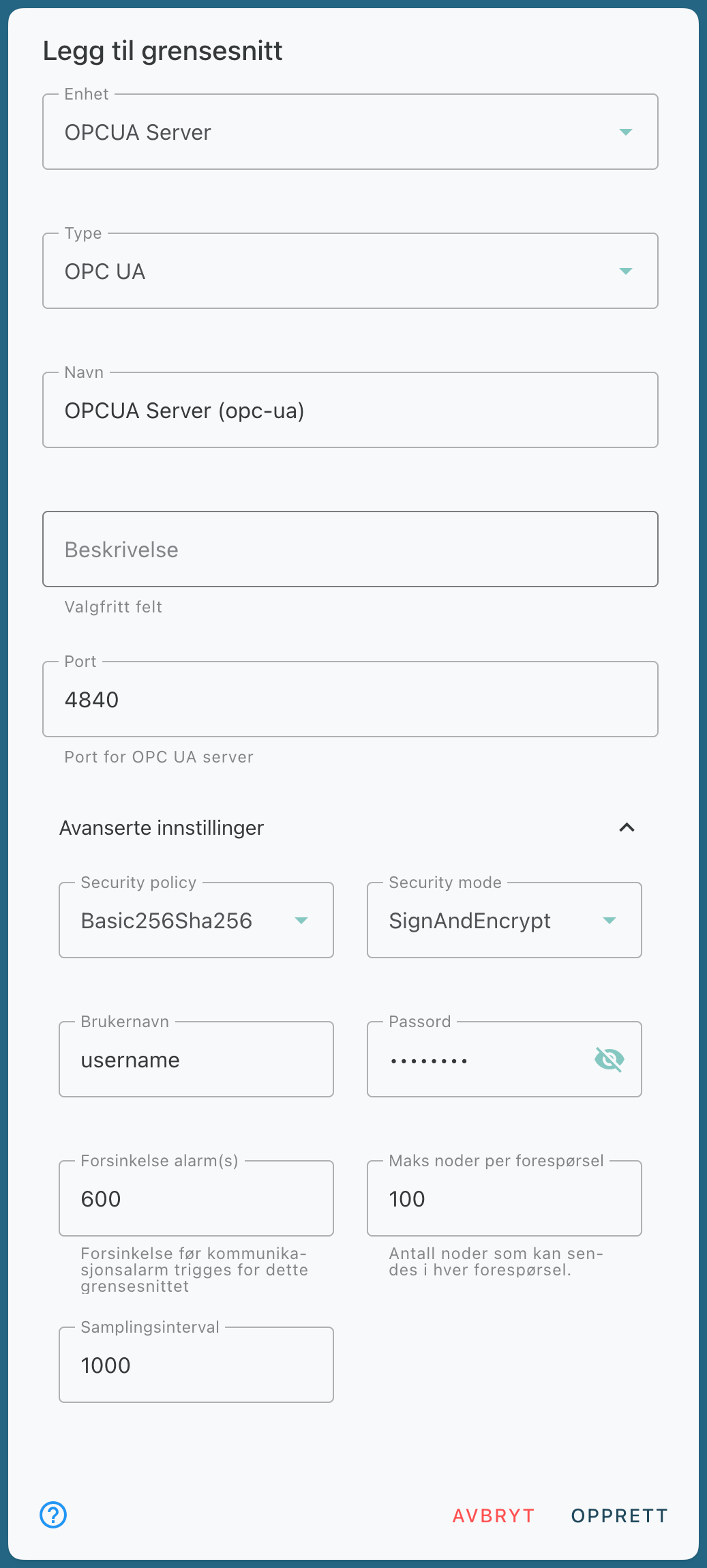
OPC-UA
Virtual Interface
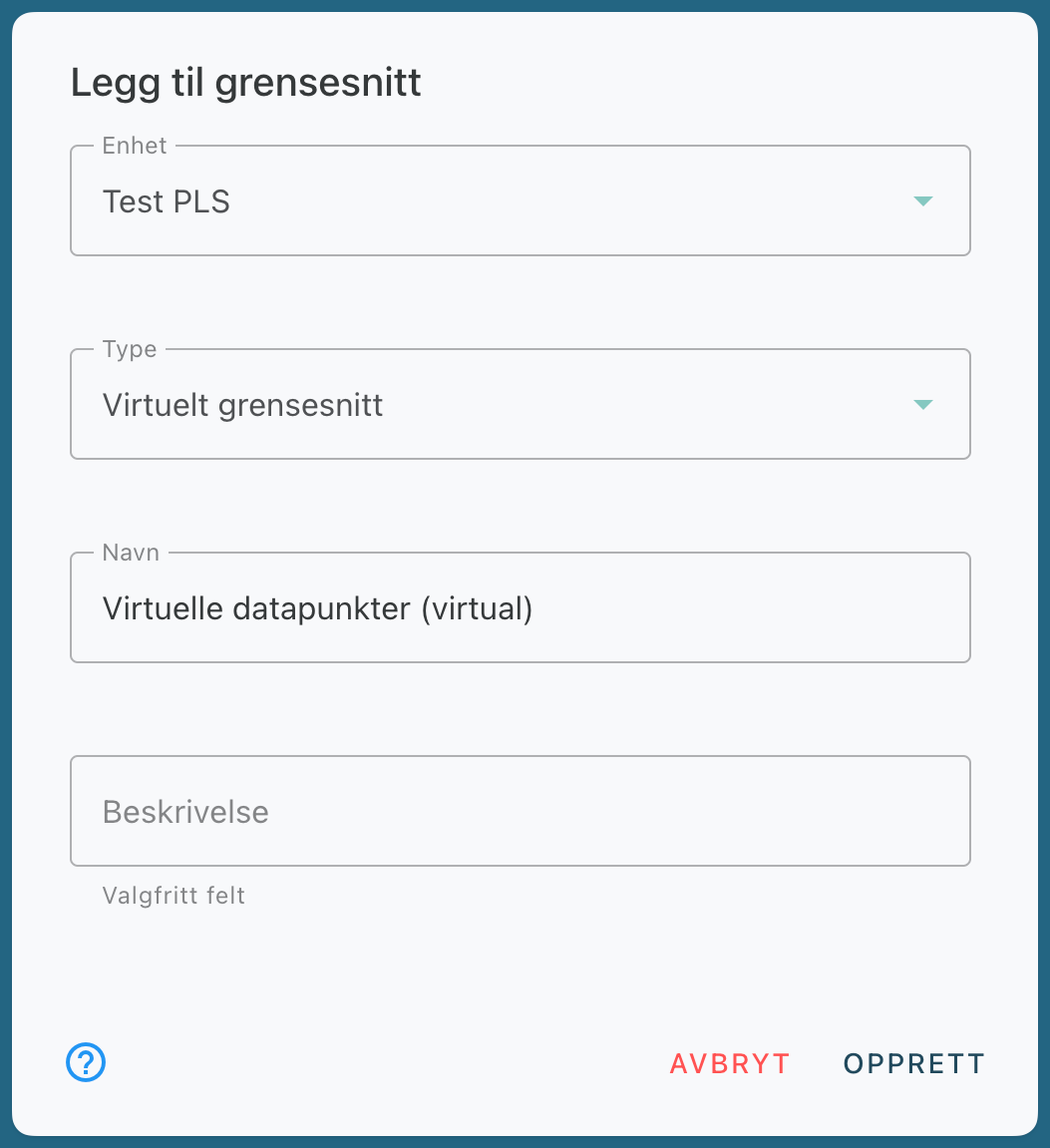
A virtual interface is used to connect virtual data points to the system. These can be used to combine multiple data points, process data, or perform calculations.
Still need help? Ask the team