Set up Astrour
The app calculates sunrise and sunset times based on coordinates and can be used to control outdoor lighting when photocells are not available.
Written By Evolo Support
Last updated About 2 months ago
The application runs locally on the gateway and works even without an internet connection, as long as the gateway's clock is set correctly.
Here's how to do it
Go to Configuration and select Applications.
Click Add Application.
Enter a name, a description if desired, and select a gateway.
Enter the latitude and longitude for the location.
Enter the elevation above sea level.
Select when the app should send "On."
Select when the app should send "Off."
If desired, enter an offset in minutes or hours.
Select the data point to write to.
Click Create.
Fields you must fill in
Latitude: the latitude of the location.
Longitude: the longitude of the location.
Elevation: elevation above sea level.
Turn On at: the sun’s position at which the app should display “On.”
Turn Off at: the sun’s position at which the app should display “Off.”
Offset: optional time offset.
Data point: the data point to be written to. Here, you can only select Boolean data points.
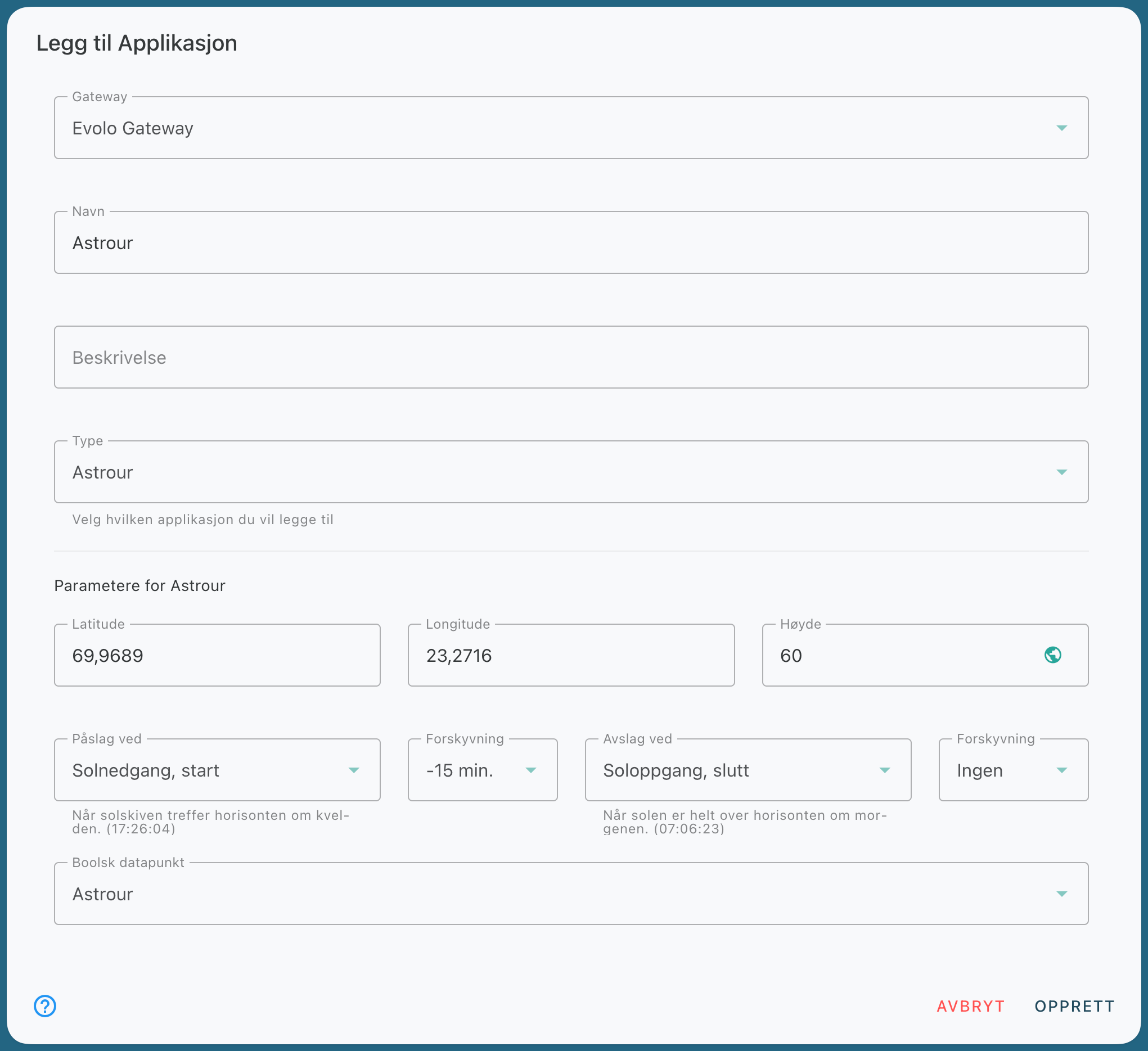
In the example, the Gateway will now send the Boolean variable “true” at sunset (start) and “false” at sunrise (end) to the selected data point.
Still need help? Ask the team