Create a room calendar item
A room calendar object is used when you want to control a room using a calendar while also using adaptive heating.
Written By Evolo Support
Last updated About 2 months ago
Evolo Gateway uses the room temperature, setpoint, and outdoor temperature to calculate when heating should start, so that the room reaches the desired temperature by the time the event begins.
Here’s how to do it
Go to Configuration and select Calendar Objects.
Click Add New Calendar Object and select Room.
Enter a name for the calendar object.
Select the data points for room temperature, room setpoint, and outdoor temperature.
Save the calendar object.
You can also use Excel to "Import calendar items."
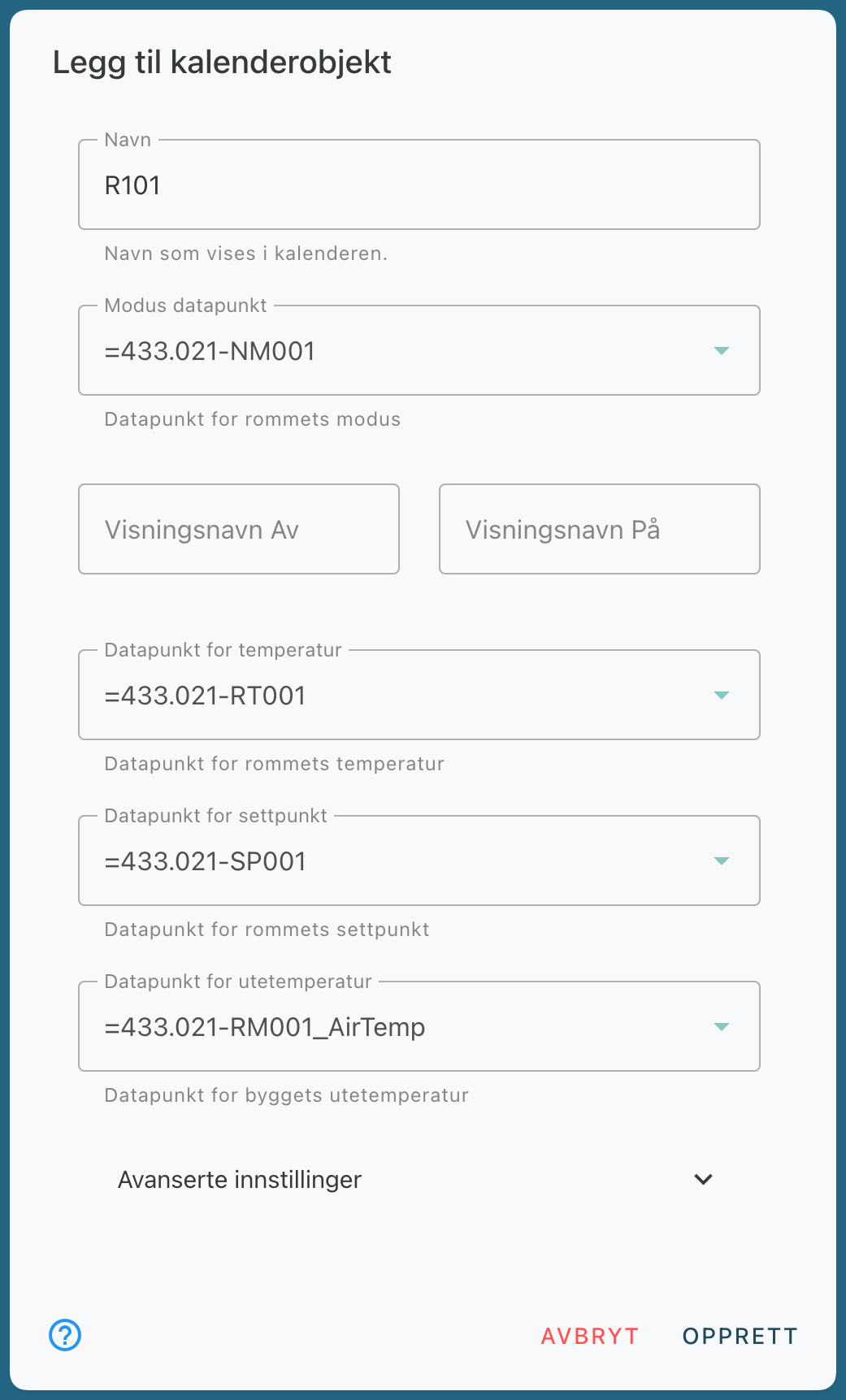
Important: The data points you select must always return a value. The gateway must have access to these values when calculating the heating time.
The data point for room setpoint must be the temperature the room should reach when heating is complete.
Advanced Settings
Write Last Value
When this is enabled, the Evolo Gateway rewrites the last active value after a restart or synchronization. This is enabled by default to prevent the system from falling out of sync with the calendar.
How Adaptive Heating Works
During the initial training phase, heating starts 6 hours before the event. The
gateway measures how long it takes to heat the room by one degree at the current outdoor temperature.
Once the system has two or more measurements at different outdoor temperatures, a preheating curve is calculated, which is then used to determine the start time.
If there are less than 6 hours until the next event, the final value is not applied.
For the system to learn, the room calendar object must be used in events with clearly defined start and end times.
Example of Adaptive Heating
In this example, the desired setpoint is 24 °C.
The building lowers the temperature in the rooms by 2–3 °C in the evening.
The room is part of a calendar event that is set to put the room into day mode at 7:30 a.m. with the desired setpoint.
Preheating
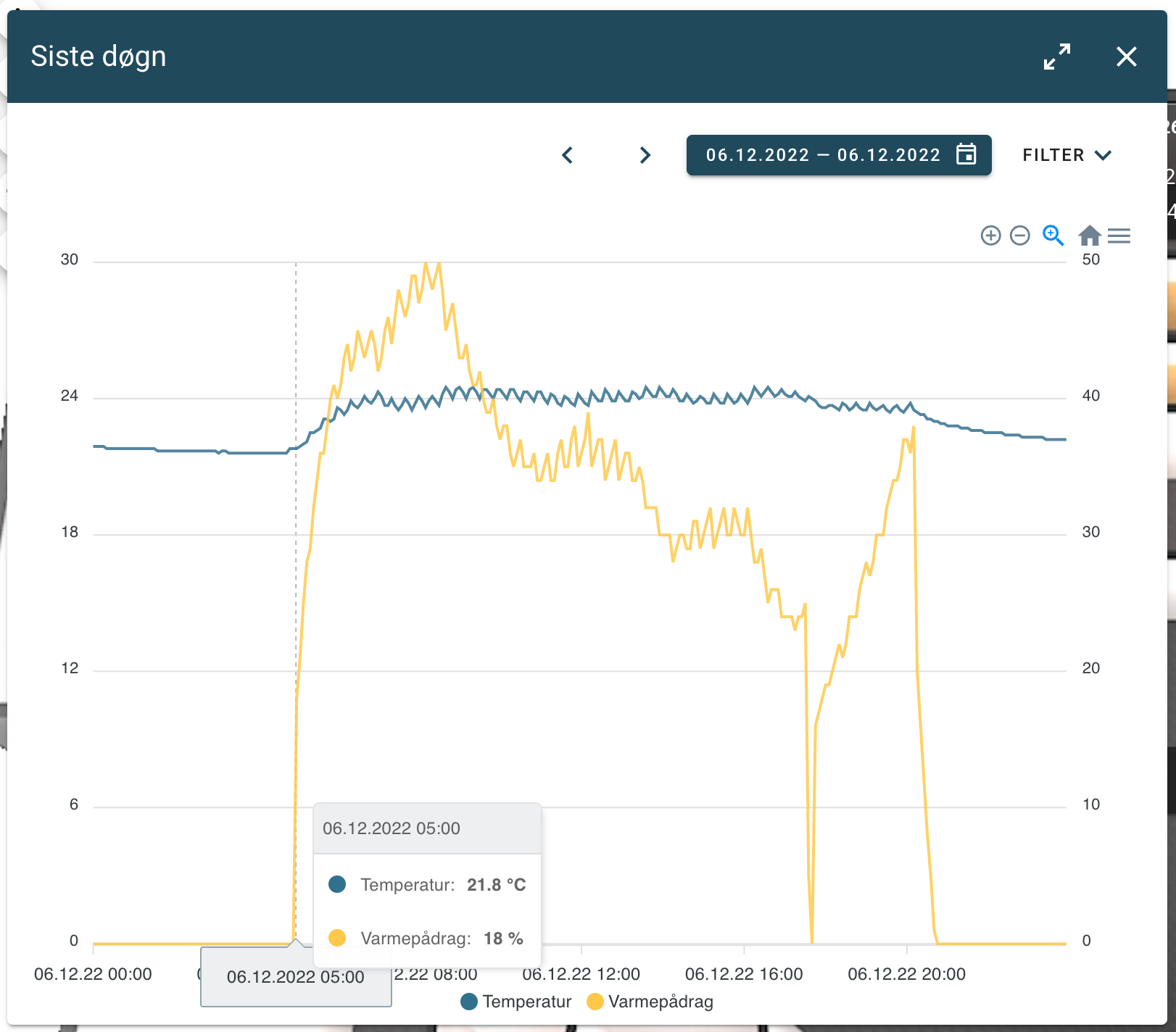
At 5:00 a.m., the Gateway set the room to day mode to start heating. The temperature in the room was then 21.8 °C.
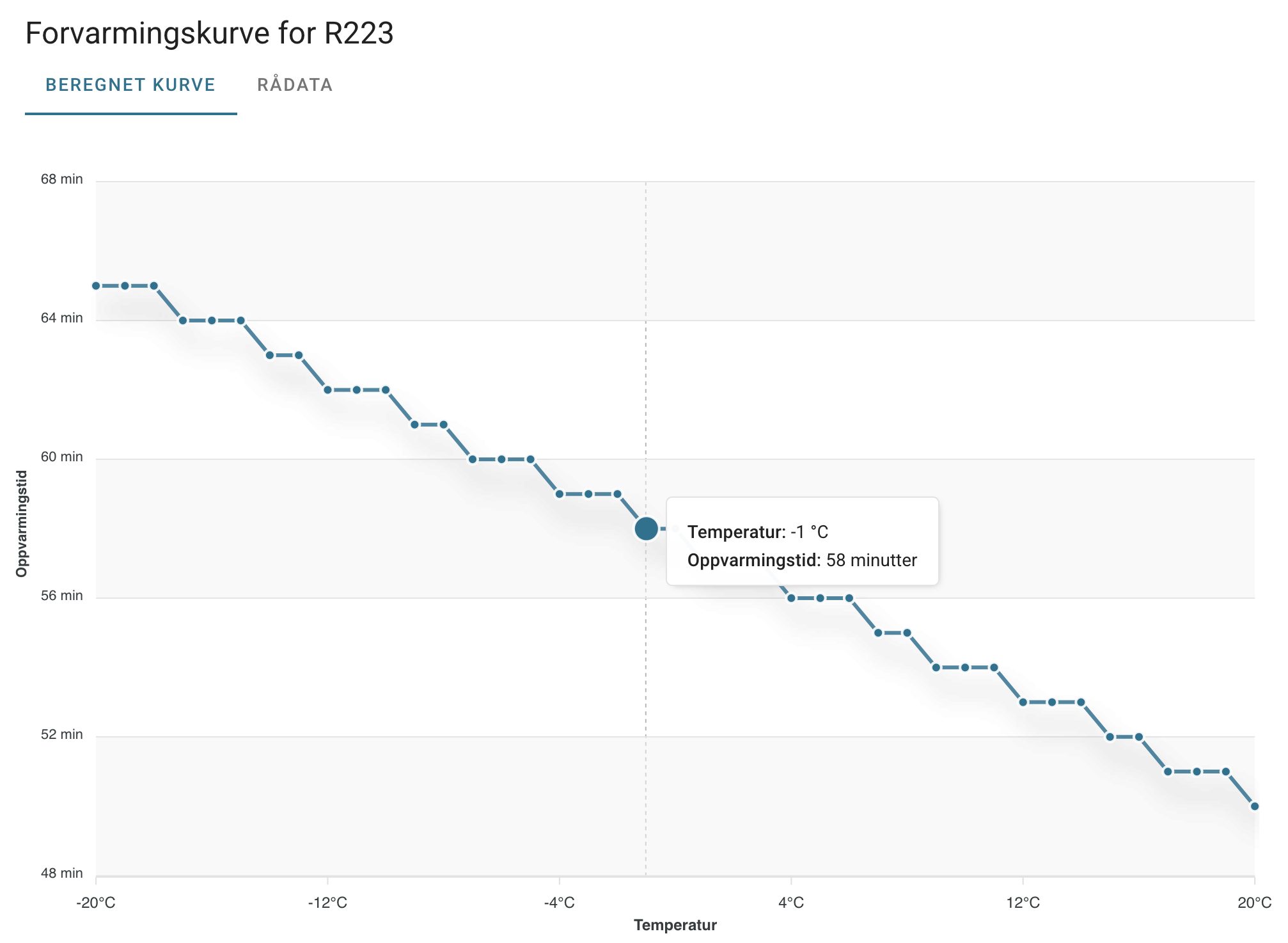
The outdoor temperature at 5:00 a.m. was -0.9 °C.
At this outdoor temperature, the preheating curve shows that heating takes approximately 58 minutes per degree.
The Gateway therefore calculates that heating must begin approximately 2 hours before the event, since the room temperature must be increased by about 2 degrees to reach the desired setpoint by 07:30.
Raw Data
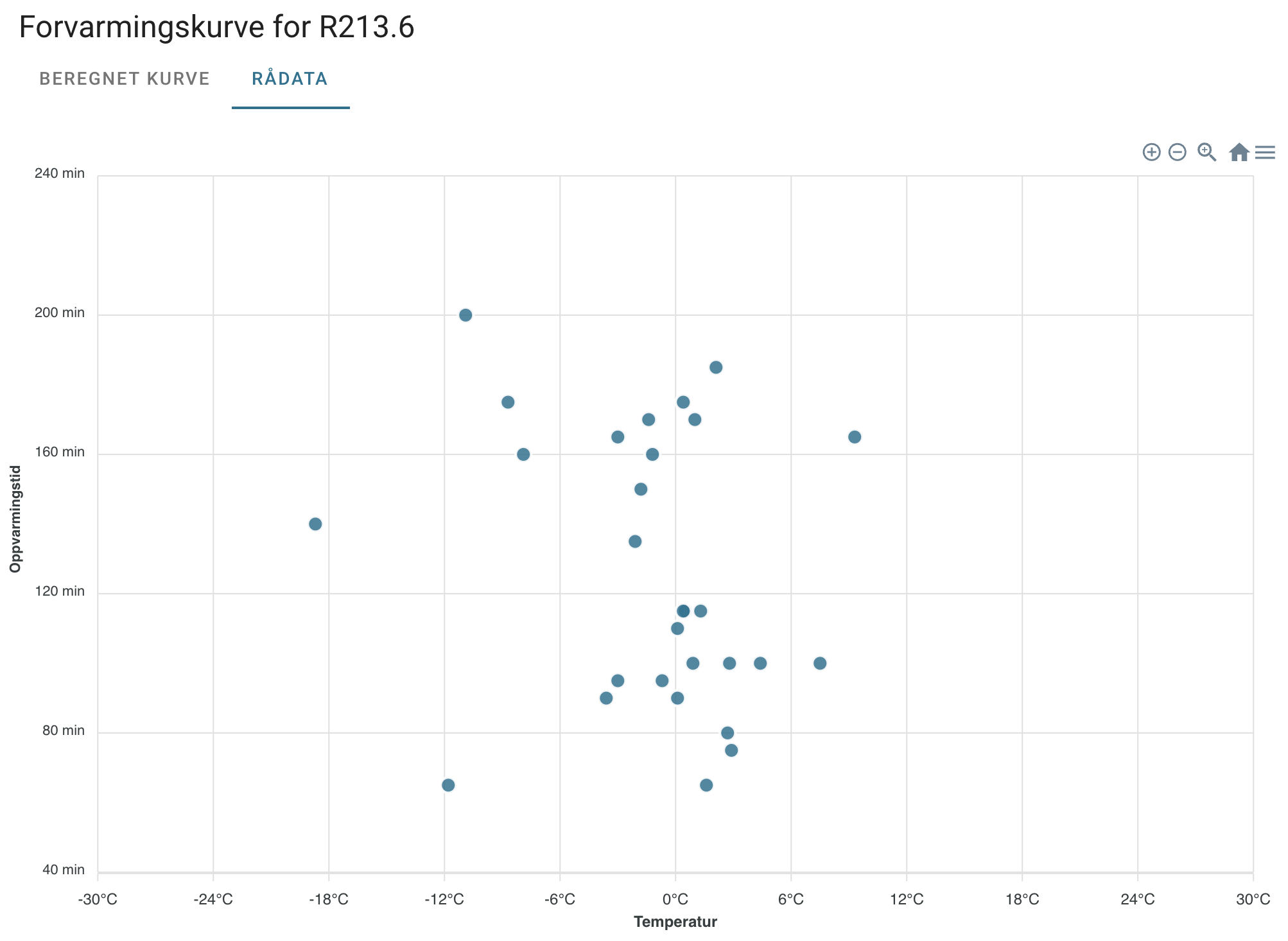
In the Raw Data tab, you can view the measurements the gateway has used. The calculated curve is generated based on these measurements, and there must be a correlation between the outdoor temperature and the heating time for the curve to be accurate.
Start a New Learning Process
If a room has had errors that affect the learning process, you can start a new learning process from the room’s menu. Over time, old deviations will also become less significant as more new measurements are collected.
Related articles
Create a generic calendar item
Import calendar items from Excel
Still need help? Ask the team