Set up clock synchronization
Time synchronization is used to send the date and time to devices that need it. The time is retrieved from the operating system on the Evolo Gateway and synchronized with NTP servers.
Written By Evolo Support
Last updated About 12 hours ago
Here's how to do it
Go to Settings and select Apps.
Click Add Application.
Enter a name, a description (if desired), and select a gateway.
Select the Interval for how often the time should be sent.
Select the data point to write to.
Click Create.
Fields you must fill in
Name and description
: Give the application a name and, if desired, enter a description.
Gateway
: Select the gateway on which the application will run.
Interval
: Specify how often the time should be sent to the data point.
Data
Point Select the data point the application should write to. You can only select value data points.
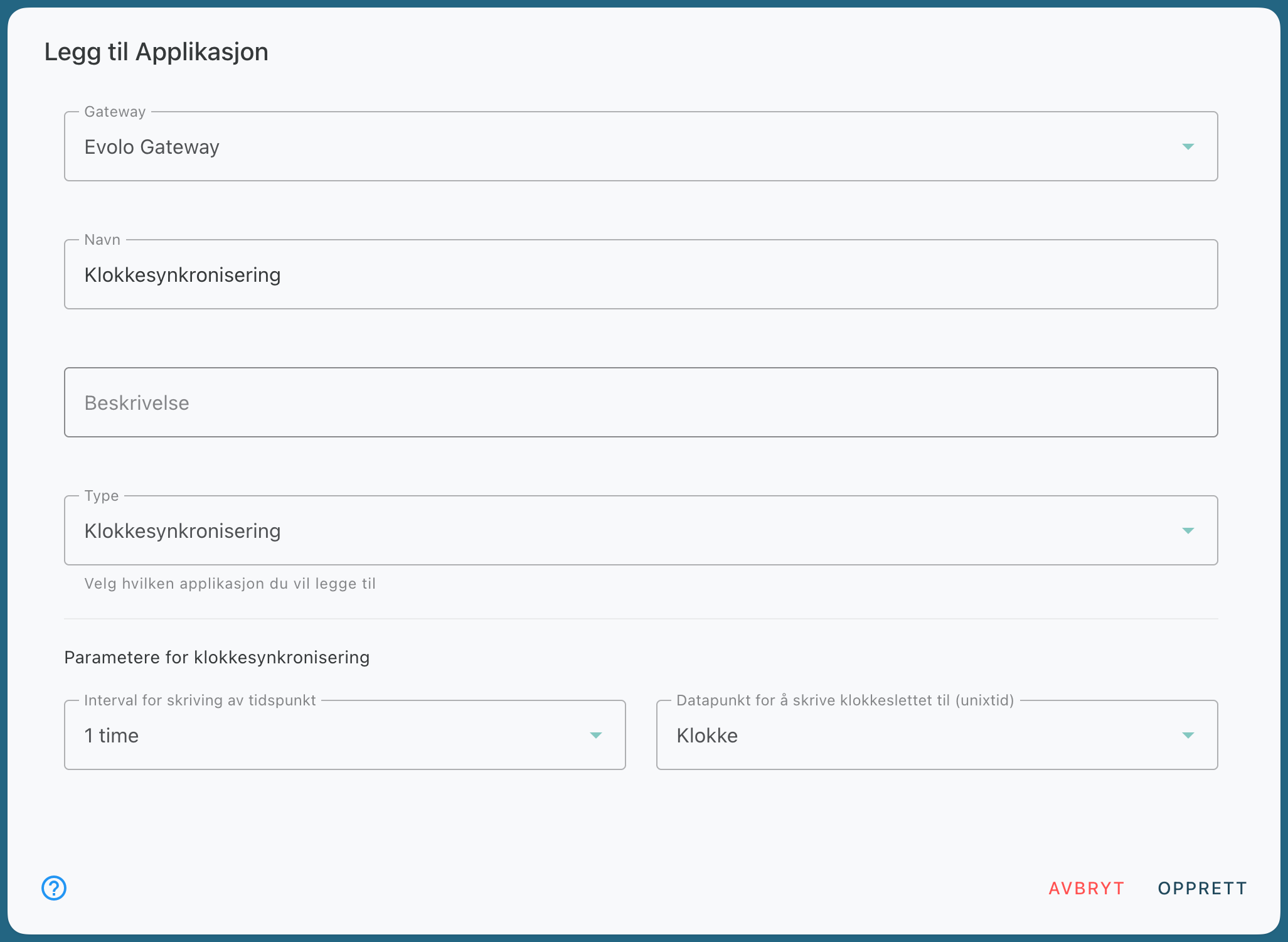
Evolo The gateway sends the updated time every hour to the selected data point.
Time Formatting
When the time is sent to KNX, the value is formatted according to the selected DPT. For other data points, the time is formatted as an EPOCH timestamp.
Still need help? Ask the team