Water Report
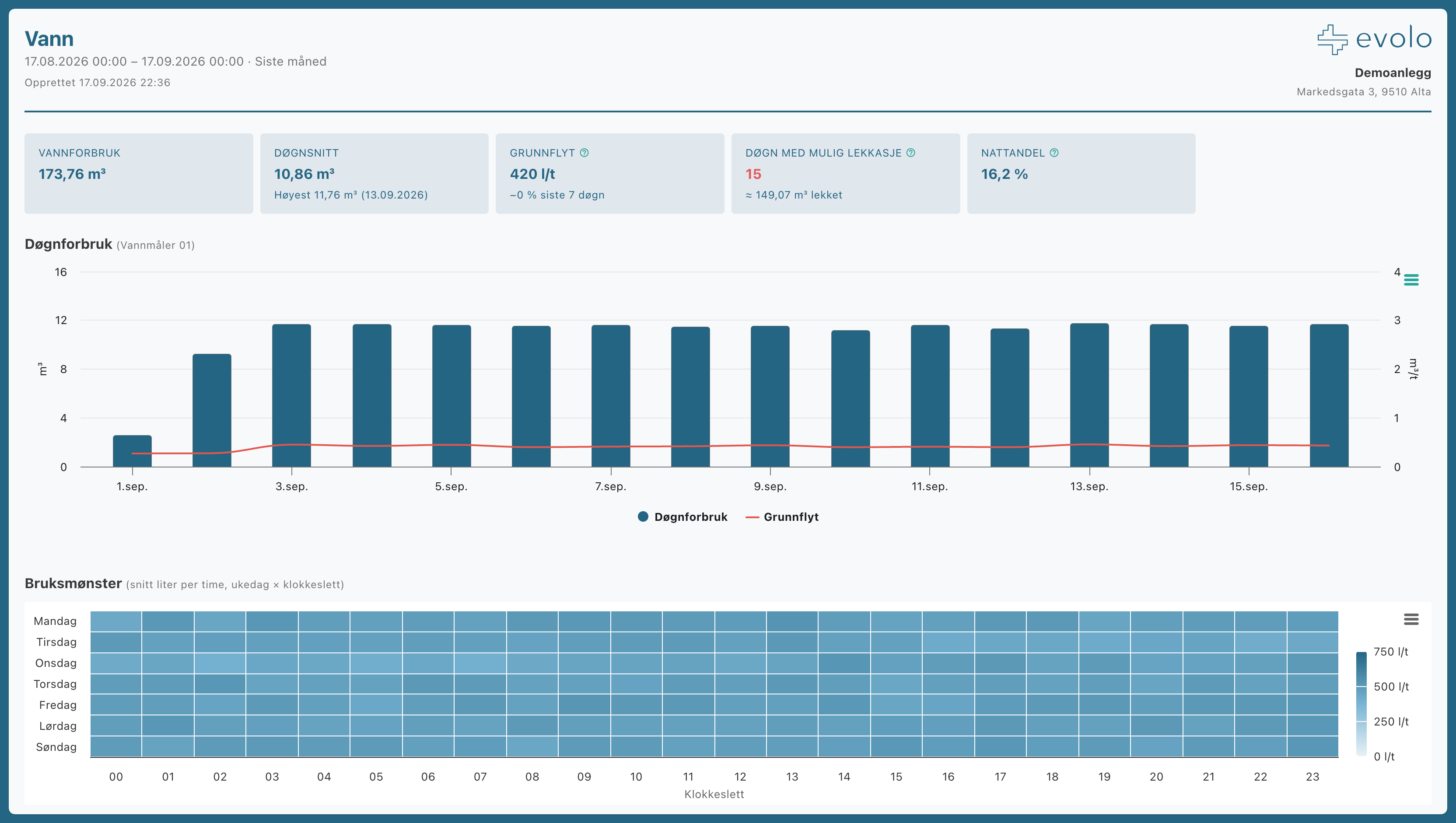
The water report shows water consumption per node and usage patterns, with a leak analysis based on baseline flow: days when the water never stops flowing reveal leaks before the bill does.
Written By Evolo Support
Last updated 4 days ago
Settings
You can change the following settings:
Operating Hours or Custom Time Period (From and To): the time allocated for quiet mode. With Operating Hours, the time outside the building’s operating hours is used (set under FDV → Building). Without "Operating Hours," the time from 1:00 a.m. to 5:00 a.m. is used.
Nodes: Select which nodes to include.
Water price and leak threshold: for cost and threshold in the leak analysis.
Graph and table: display a graph, a detailed table below, or both.
Prerequisite: The report includes nodes with the medium “Tap Water” measured in m³ or liters. Set the medium for the node under Setup → Energy Monitoring.
You can find the planning report here how to open, download, and plan the report.
Was this helpful?
Still need help? Ask the team