Invite users to your organization
How to Invite Users to Your Organization
Written By Evolo Support
Last updated 6 days ago
You can invite new users on the "Organization Members" page.
Click your initials in the top right corner and select "Members."
The table shows the members of your organization.
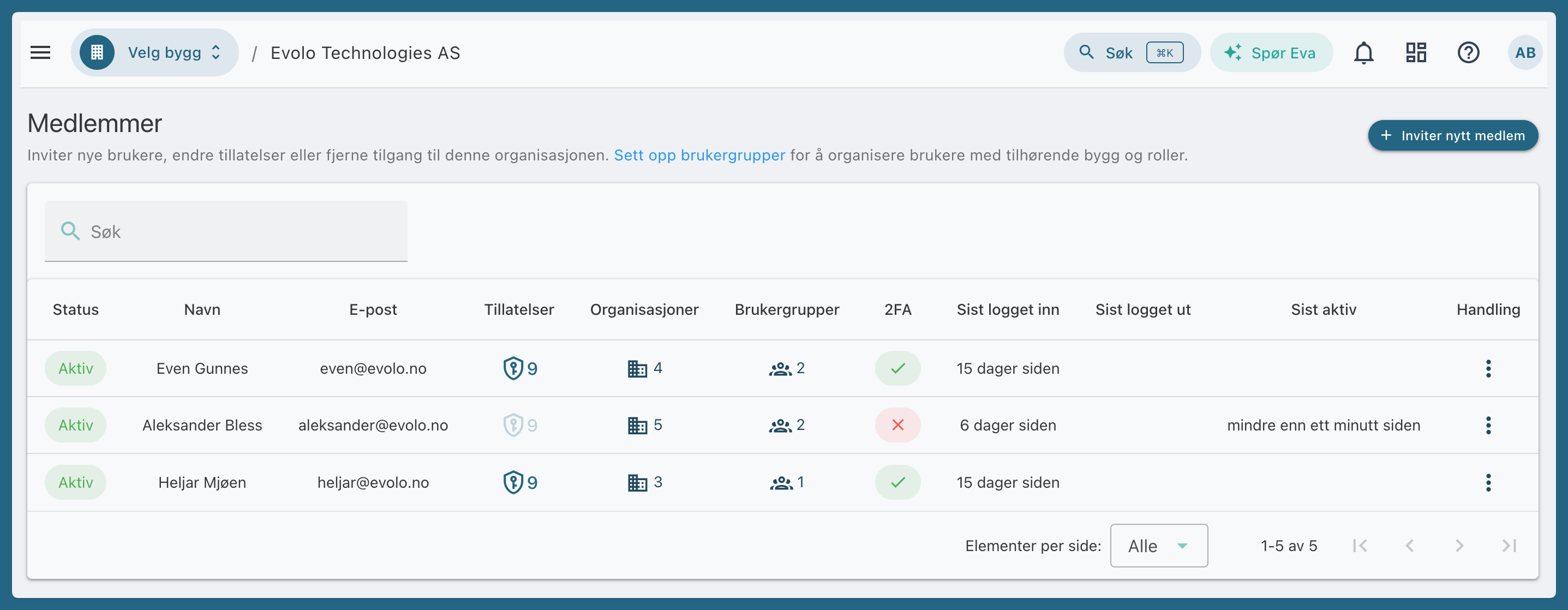
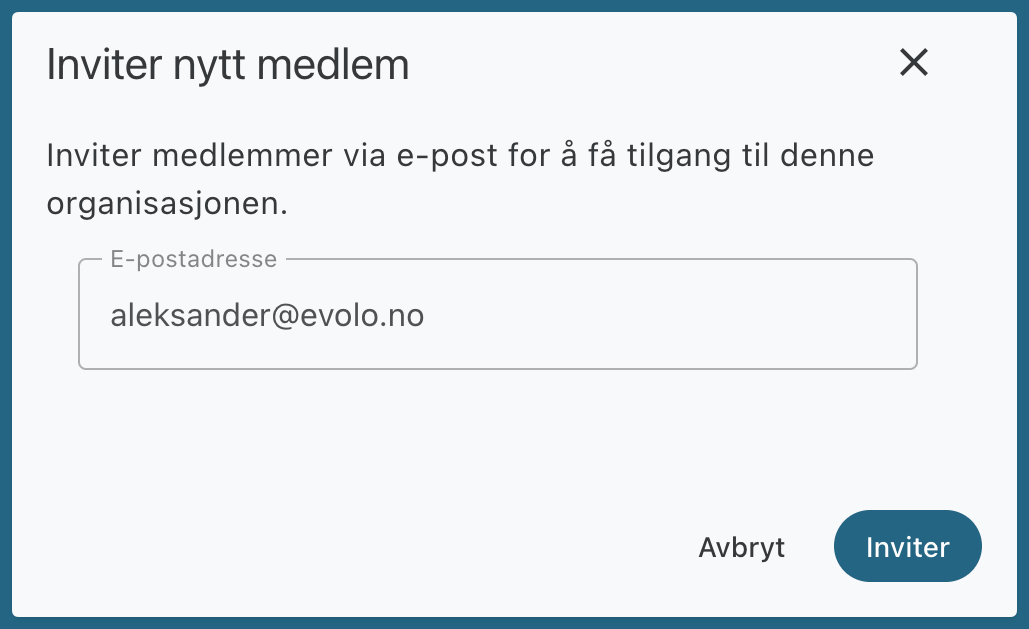
Click “Invite a new member” and enter their email address.
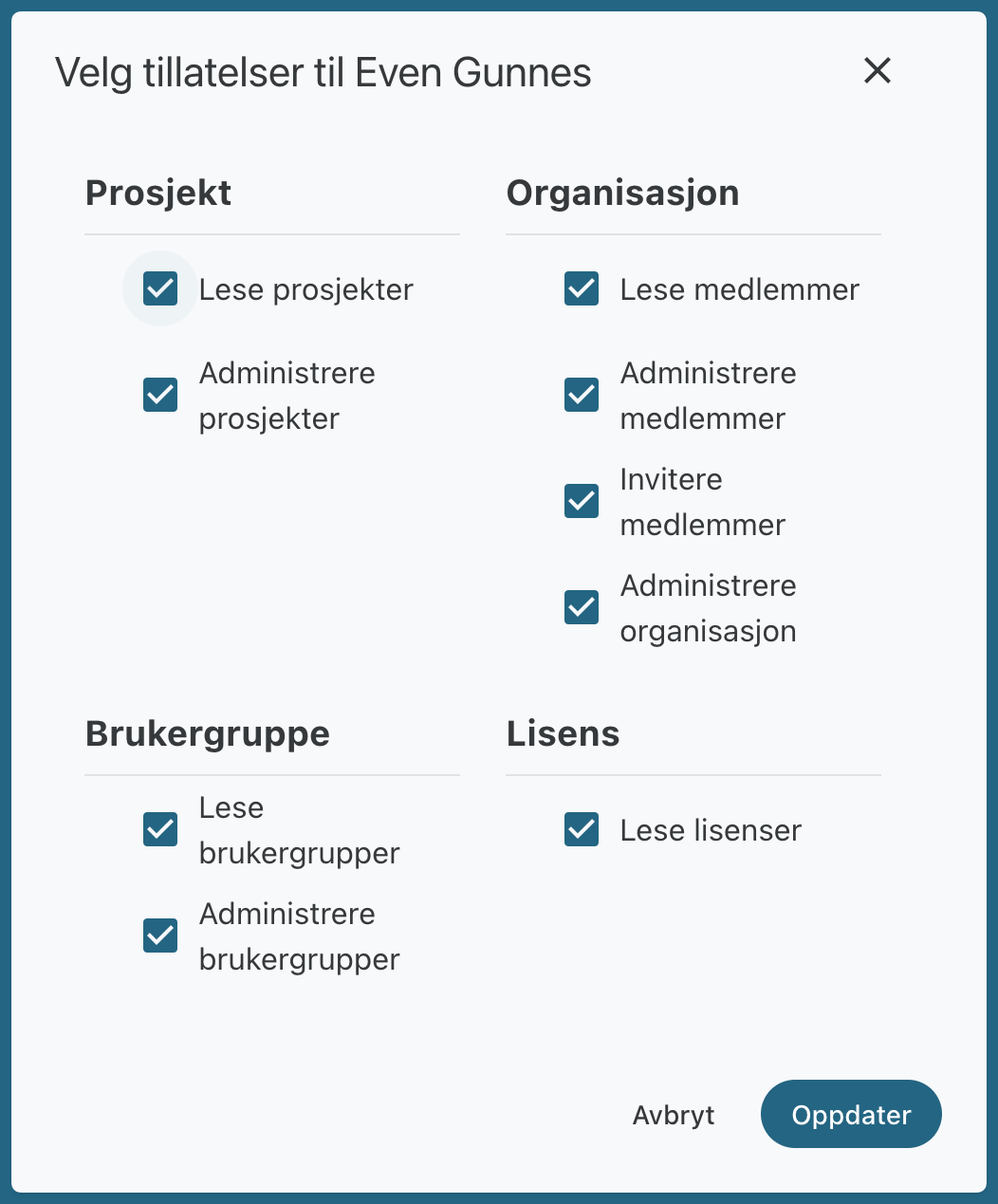
Click the icon in the Permissions column to select which permissions the member should have in your organization.
Was this helpful?
Still need help? Ask the team