Set up a maximum guard
The maximum power monitor is used for power management and load control, ensuring that the hourly power output remains below a defined limit.
Written By Evolo Support
Last updated About 2 months ago
The maximum power monitor tracks both actual power draw and consumption over time.
If the forecast indicates that the hourly limit will be exceeded, loads are disconnected in stages.
The largest loads, or the loads that have been connected the longest, are disconnected first. When power becomes available again, loads are reconnected, with priority given to those that have been disconnected the longest.
Here’s how to do it
Go to Configuration and select Applications.
Click Add Application.
Enter a name, a description if desired, and select a gateway.
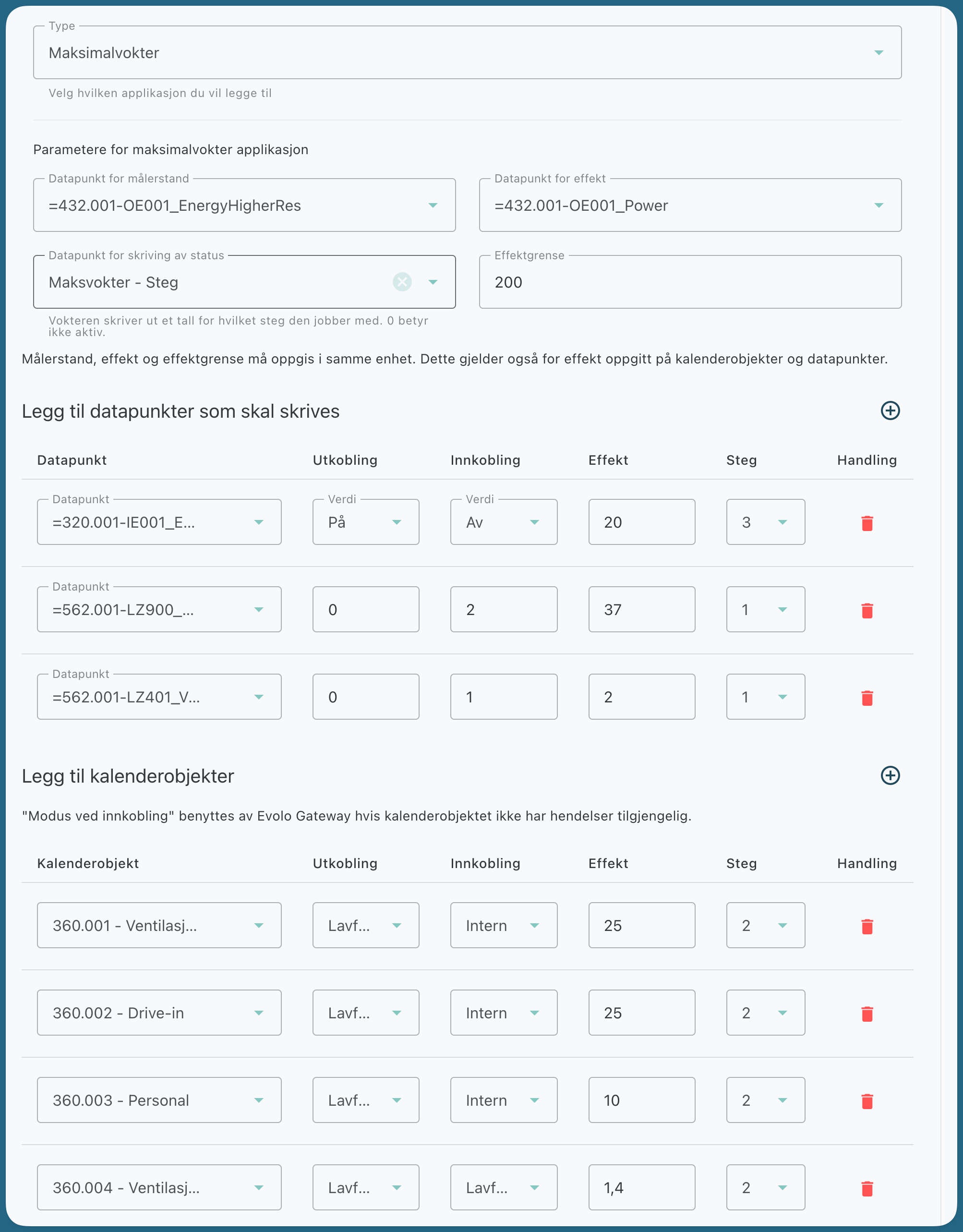
Select a data point for the meter reading. This must be an accumulating data point.
Select a data point for power.
Optionally, select a data point for status logging.
The status point can be used to show which trip stage the maximum current protector is operating on. 0 means that the maximum current protector is not active.Set the desired power limit.
Add data points and/or calendar objects to be disconnected as needed.
Click Create.
Meter reading, power, and power limit must be specified in the same unit. This also applies to power specified for calendar objects and data points.
Add data points to be disconnected
For each data point, enter:
data point
value for disconnection
value for activation
power
step
Add calendar objects
Calendar objects work the same way as data points. The
difference is that the calendar process is disabled as long as the maximum guard keeps the calendar object turned off.
For each calendar object, enter:
mode when disconnected
mode when enabled
power
step
Example
Still need help? Ask the team