Connect to the Evolo MQTT broker
With the Evolo MQTT broker, you can read data from the building, control data points, and submit measurement data from external systems.
Written By Evolo Support
Last updated 16 days ago
The broker covers three use cases:
Reading data: Subscribe to values from the data points in the building.
Control data points: write new values, such as a setpoint.
Send data in: allow an external sender, such as a sensor vendor, to publish measurements directly into Evolo.
Before you begin
To get started, you’ll need the following:
The gateway has been created and is online in Evolo.
You have access to User → Integrations to create an MQTT key.
Evolo The gateway must have access to mqtt.evolo.no (Outbound traffic TCP 8883)
1. Enable MQTT on the gateway
Go to Configuration → Gateways.
Open the gateway you want to use.
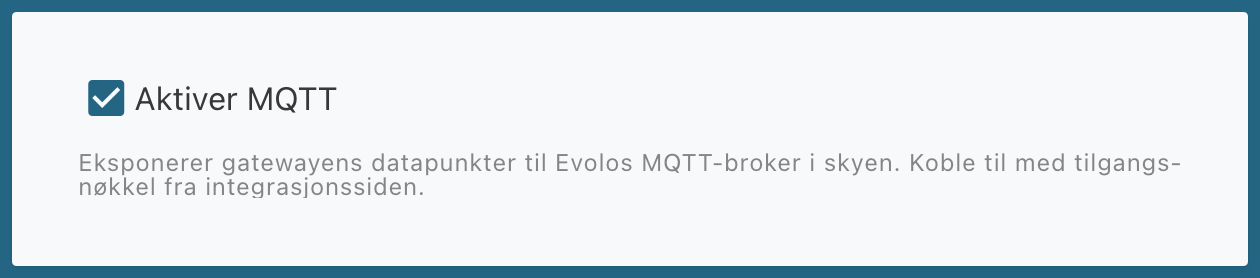
Check the Enable MQTT box and click Save.
Evolo The gateway will now connect to the Evolo MQTT broker and mirror all data point values there. Also, make a note of the gateway key displayed on the gateway, for example, C5DM-YTZ1-GB71. It is used in all topics.
2. Create an MQTT key
Go to User → Integrations and select the MQTT tab.
Click Create New MQTT Client.
Enter a name and description.
Select permissions: Read MQTT to read data, Write MQTT to manage data points or send data.
Select which builds the key should apply to. If a build requires two-factor authentication, you must have the authentication app enabled on your account to select it.
Click Create.
Copy the values that appear. The token is displayed only once.
Create one key per integration or device, and grant only the access that is actually needed. This makes it easy to revoke a single integration without affecting the others.
3. Connection Details
These values are used in all MQTT clients, whether it’s MQTT Explorer, Node-RED, an SD system, or a sensor vendor’s own service:
4. Reading data
Requires the "Read MQTT" permission. The gateway publishes the value for each data point to:
evolo/<gateway-nøkkel>/tags/<datapunkt-id>/valueYou can find the data point ID in the data point list at Evolo.
The values are sent as JSON numbers or true/false.
5. Manage data points
Requires the "Write MQTT" permission. Publish the new value to:
evolo/<gateway-nøkkel>/tags/<datapunkt-id>/writeThe payload must be a plain JSON number or a Boolean value, without being wrapped in an object:
Topic: evolo/C5DM-YT2Z-GD71/tags/123/write
Payload: 21.5

Topic: evolo/C5DM-YT2Z-GD71/tags/456/write
Payload: true
The data point must be writable on the interface to which it belongs, such as a setpoint on BACnet or Modbus. The write operation goes through the gateway and out to the field equipment in the same way as when you change the value in Evolo.
6. Sending Data from an External Transmitter
If you have a sensor vendor or a system that can publish MQTT messages on its own, it can send measurements directly into Evolo. In this case, the gateway does not need to connect to the vendor’s broker; the transmitter publishes to the Evolo MQTT broker, and the gateway retrieves the messages from there.
Requires an MQTT key with the “MQTT” access level for the building where the gateway is located.
6.1 Add a device and interface in Evolo
Go to Configuration → Devices
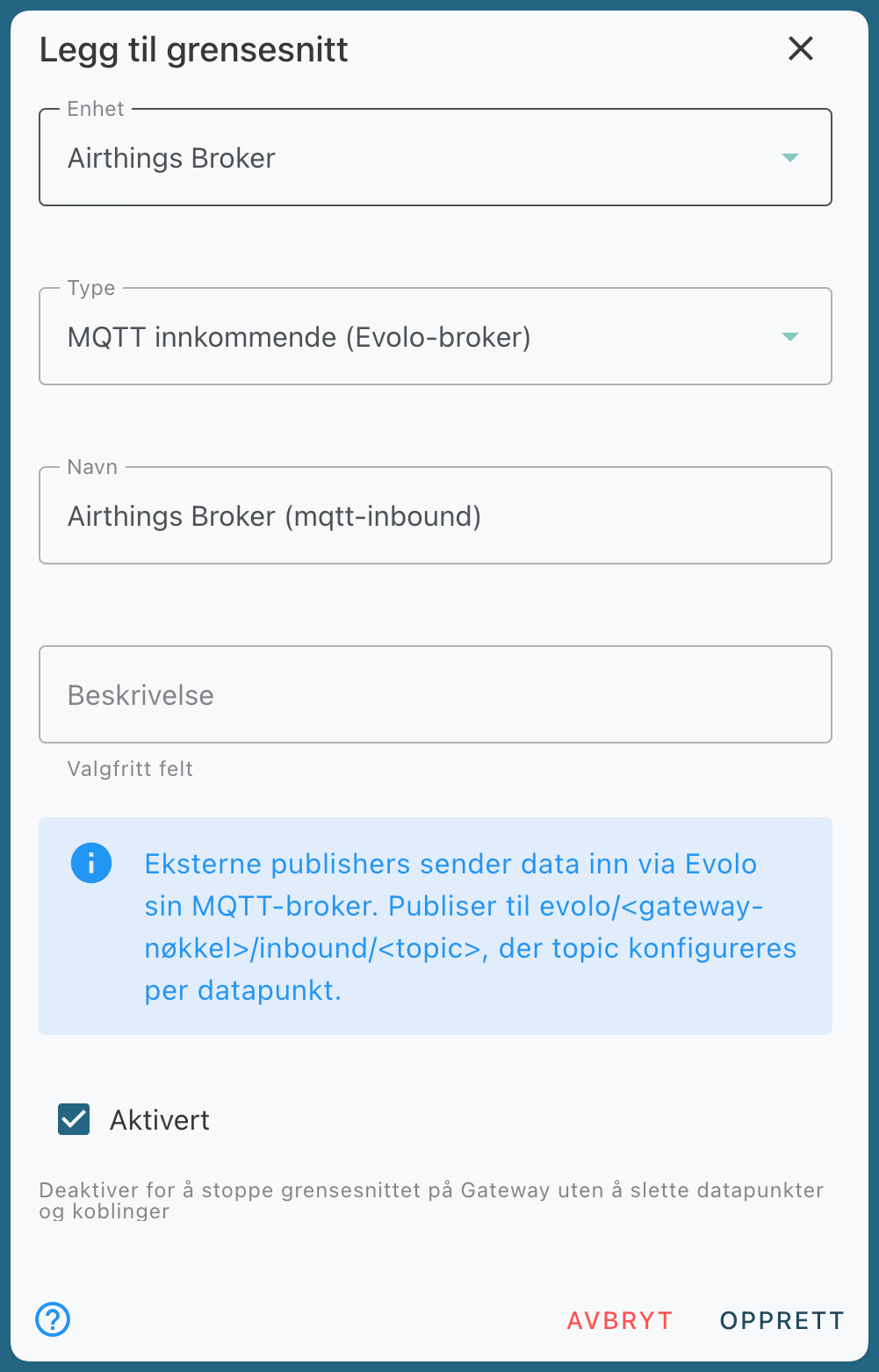
Add a device that represents the sender, such as “Airthings” or “External Sensors.” Enter
mqtt.evolo.noas the IP address/hostname. This field is required, but the gateway does not connect to it for this type; the data comes via the Evolo MQTT broker.Add an interface to the device with the type “MQTT Incoming.” The interface does not require any broker settings.
A single interface can receive data from multiple physical devices. It is the topic for each data point that distinguishes them, so you do not need a separate device in Evolo for each sensor.
6.2 Determine the topics the sender should use
All messages to the gateway are published under the gateway’s own reception area:
evolo/<gateway-nøkkel>/inbound/<kilde>/...You can define the part after inbound/ yourself, preferably including the vendor name and the device’s serial number, for example:
evolo/C5DM-YT2Z-GD71/inbound/airthings/2930123456/sample
evolo/C5DM-YT2Z-GD71/inbound/kunde/rom109/vindu
The payload should be in JSON format. A single message can contain multiple measurements; Evolo extracts each measurement into its own data point.
6.3 Add Data Points
On the interface, add one data point for each measurement you want to include:
Multiple data points can use the same topic with different expressions. With the message {"temp": 21.7, "co2": 643}, one data point reads message.temp and another reads message.co2.
Data points can also be imported from Excel. Select Import → MQTT Inbound in the data point list and download the template from there.
6.4 Configure the Publisher
Set up the publisher using the connection details from step 3 and the topics from 6.2. When the publisher publishes data, the values appear in the data points and are processed for logging, alerts, and dashboards as usual.
The values are also republished at evolo/<gateway-nøkkel>/tags/<id>/value, so you can verify the data flow using any MQTT client.
See the separate article for Airthings: Connect Airthings devices to Evolo using MQTT.
Troubleshooting
Connection Rejected
Connection Rejected
Verify that the username is the key’s UUID, that the password is the entire token, and that the key has not expired. The key must also have at least one of the following permissions: Read MQTT or Write MQTT.
I can’t subscribe or publish
I can’t subscribe or publish
Verify that the gateway key in the topic is correct, that the key applies to the build the gateway is in, and that the permission is correct: Read MQTT to subscribe, Write MQTT to write and submit.
A modified or deleted key still works
A modified or deleted key still works
The broker remembers the access permission for up to 10 minutes. After that, connections and messages from that key are rejected. New access permissions take effect immediately.
Submitted data is not displayed
Submitted data is not displayed
Check that “Enable MQTT” is turned on for the gateway, that the topic in the data point is written without the “evolo/…/inbound/” part, and that the expression points to the correct field in the message.
Use “Read Data Point” in the dialog to view the last received value.
Was this helpful?
Still need help? Ask the team