Create a measurement point
The meter reading is linked to a data point that records the meter reading and is used in graphs and charts in Energy Monitoring.
Written By Evolo Support
Last updated About 2 months ago
Before You Begin
The measurement point only supports accumulating data points. This means that the data point must increase over time, such as a meter reading. Voltage and power cannot be used as meter readings in a measurement point.
Types of measurement points
You can choose from several types:
Physical meter
Reads cumulative energy data from a data point in Evolo.
It is important that the data point is set up with the “Cumulative” log type.Elhub meter
Reads an metering point from Elhub.Difference
Meter Calculates the difference between the main meter and the sum of the sub-meters.
(difference = main meter – sub-meters)Total Meter
Sums values from multiple sub-meters.
Here’s how to do it
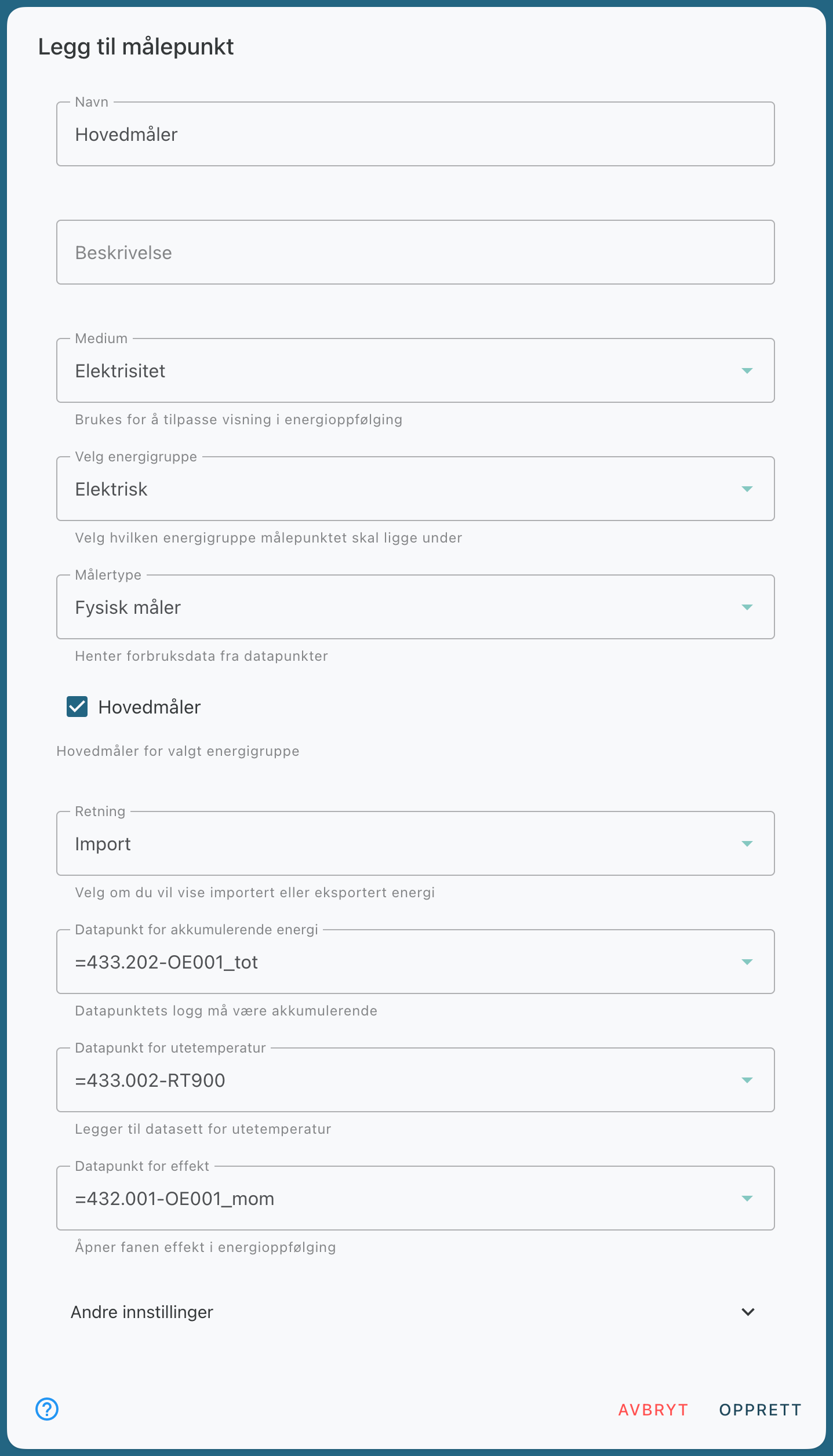
This example covers a physical meter:
Go to Configuration and select Energy Monitoring.
Open the Metering Points tab.
Click Add New Metering Point.
Enter a name for the meter point.
Enter a description, if desired.
Select the medium for the meter.
Select the energy group to which the measurement point should belong.
Select the data point with the cumulative log for energy data.
If desired, select the outdoor temperature if you want to compare consumption against temperature.
If desired, select a standard log to enable the Power tab.
If applicable, enter the area to display energy consumption per m².
Save the measurement point.
Main Meter and Submeters
You can mark a measurement point as the main meter. It can then be used as the parent meter when you add new measurement points under the “Submeter” field. This displays the meters in a hierarchical structure.
Still need help? Ask the team