Forwarding data point
Forwarding values between automation protocols
Written By Evolo Support
Last updated 4 months ago
The Data Point Forwarding app is used to forward data points added to Evolo. For example, you can forward a Modbus data point to a BACnet data point.
Getting Started
1. Go to Configuration → Applications
2. Click Add Application
3. Fill in the fields for the application
The following fields must be filled in:
- Enter a name, a description if desired, and select the Gateway
Read data point
Select which data point to read from.- Write data point
Select which data point to write to.
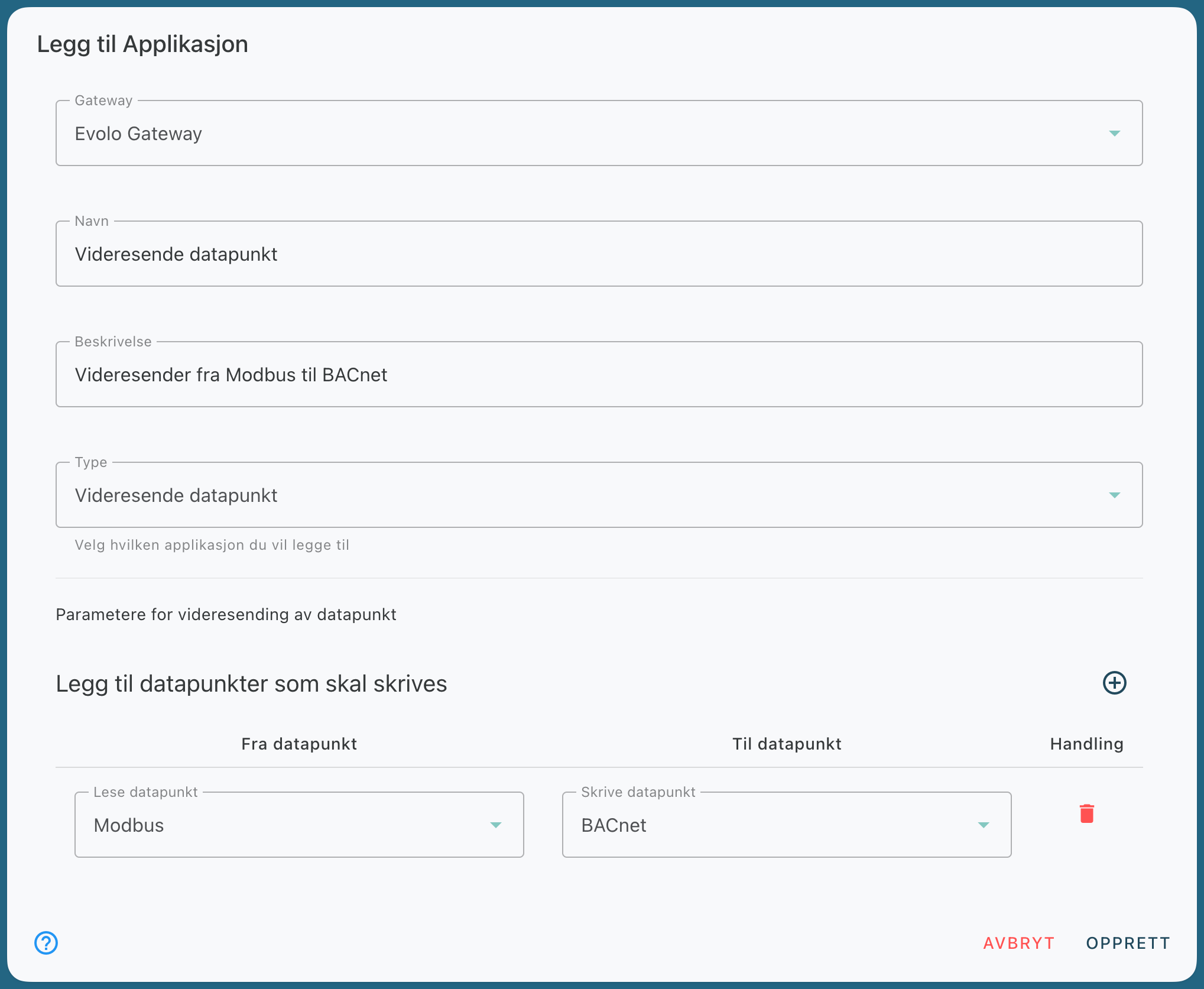
Example of a Forward Data Point application
Finish with Create
In this example, the Gateway will now send the value from the Modbus data point to the BACnet data point when data is received.