News from Evolo, June 2022
New in Evolo: SMS Alerts and Virtual Data Points 🎉
Written By Evolo Support
Last updated 17 days ago
Alarms
In views, an icon (!) will appear if there is an active alarm for a component. Click on it to go directly to the alarm and view its description and history.
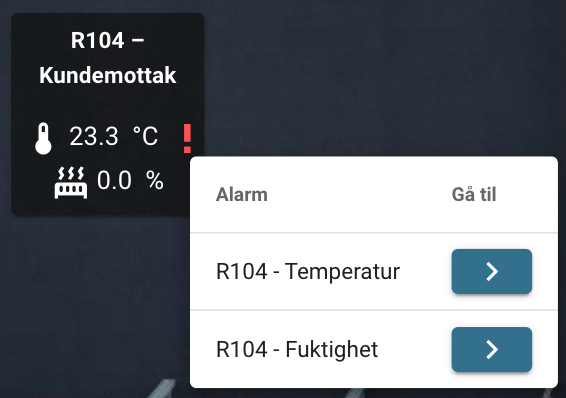
If the alert is related to a view, you can now go directly to the view from the alert history.
Send alerts via SMS, add a new alert channel (superusers have permission), and select this channel when setting up notifications. The service costs 1,- per SMS, and the number of SMS messages sent is billed as part of the annual license.
Energy Monitoring
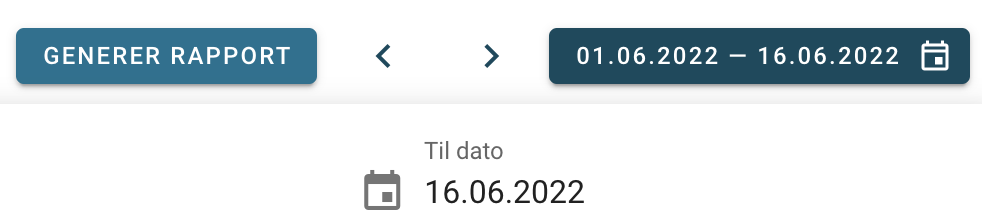
The overview and summary chart now support selecting a specific time period and interval. Click “Generate Report” to create a PDF of the selected time period.
For Installers
Virtual Data Points
Combine multiple data points and define expressions to process a composite value. Examples include combining multiple energy meters to display total consumption or creating composite alarms.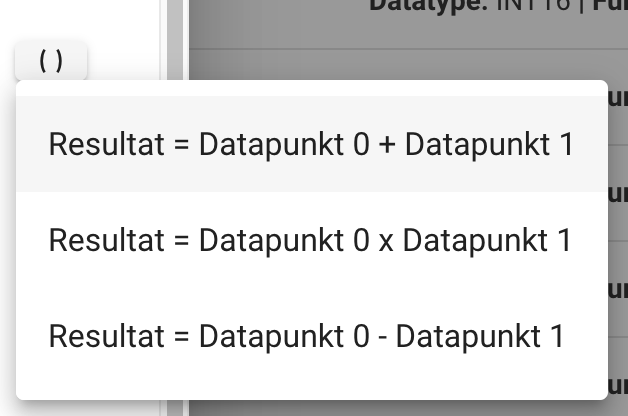
Manipulate Read Values from Data Points
Under “Advanced Settings” for a data point, you can set an expression to modify the value read from our supported protocols. For example, you can apply weighting if it isn’t natural to do so at the field level.
Contact us and we’ll help you get started.
General improvements
Displays the key to enable two-factor authentication if you are unable to scan the QR code.
It is now possible to change the time period for charts on mobile devices.
Fixed a bug where you had to tap twice to view additional values for data points in the table.
All updates are based on suggestions we receive from you, the users of the Top System; we appreciate all your feedback. 😊